
How to Use ChatGPT To Analyze Economic Reports
Learn how to use ChatGPT to analyze CPI, NFP, FOMC, and GDP reports for trading signals. Includes prompt templates, ThinkScript code, and a workflow for combining AI analysis with thinkorswim indicators.

- Why Economic Reports Matter for Active Traders
- The Four Economic Reports Every Trader Should Analyze
- Setting Up ChatGPT for Economic Analysis
- Prompt Engineering for CPI Analysis
- Prompt Engineering for NFP and FOMC Data
- Building a Report-Day Trading Workflow
- Combining ChatGPT with ThinkOrSwim Indicators
- ThinkScript for Economic Report Volatility Windows
- Historical Comparison and Advanced Prompt Techniques
- Common Mistakes When Using ChatGPT for Reports
- Volatility Expansion Alert for Report Days
- Integrating with the TTM Squeeze for Report Trades
Economic reports move markets. CPI data, Non-Farm Payrolls, FOMC minutes, and GDP releases create massive volatility windows that day traders and swing traders can exploit - but only if they know what the data actually says. Most traders either skip the reports entirely or spend 30+ minutes trying to figure out what matters. ChatGPT changes that equation by letting you extract actionable trading signals from dense government reports in seconds.
This guide walks through exactly how to use ChatGPT to analyze economic data, build prompts that produce trade-ready output, and combine that analysis with thinkorswim indicators and thinkorswim scanners for a complete workflow.
Why Economic Reports Matter for Active Traders
Economic reports are the primary catalyst behind large intraday price moves in indices, bonds, commodities, and forex. The Bureau of Labor Statistics, the Federal Reserve, and the Bureau of Economic Analysis release data on scheduled dates that institutional traders watch closely. When actual numbers deviate from consensus expectations, markets reprice quickly.
The problem for retail traders is interpretation speed. By the time you read through a 20-page FOMC statement or parse CPI sub-components, the initial move has already happened. Professional desks have teams of economists who pre-digest these reports. ChatGPT gives individual traders a way to close that gap.
The four reports that consistently produce the largest intraday moves are: CPI (Consumer Price Index), NFP (Non-Farm Payrolls), FOMC Minutes/Statements, and GDP (Gross Domestic Product). Each one affects different sectors and asset classes differently, so your analysis needs to be specific to what you trade.
The Four Economic Reports Every Trader Should Analyze
| Report | Release Frequency | Key Data Points | Primary Market Impact |
|---|---|---|---|
| CPI | Monthly (2nd week) | Headline CPI, Core CPI, MoM change, YoY change | Bonds, rate-sensitive stocks, gold, USD |
| NFP | Monthly (1st Friday) | Jobs added, unemployment rate, wage growth, revisions | Broad equity indices, USD, treasuries |
| FOMC Minutes | 8x per year | Rate decision, dot plot, forward guidance language | All asset classes, especially rate-sensitive |
| GDP | Quarterly (3 estimates) | Annualized growth rate, consumer spending, business investment | Broad indices, sector rotation signals |
Setting Up ChatGPT for Economic Analysis
Before you start feeding reports into ChatGPT, you need to configure your approach. Raw copy-pasting of a full report gives you a generic summary. The key is prompt engineering - structuring your input so ChatGPT returns trading-specific output rather than academic analysis.
Start by creating a custom instruction set that frames ChatGPT as a market analyst. This primes the model to focus on price implications rather than policy commentary.
GPT-4 and later models produce significantly better economic analysis than GPT-3.5. The newer models handle nuance in Fed language, can compare current data to historical ranges, and identify which sub-components matter most. If you are serious about using AI for trading analysis, the paid version is worth it.
Prompt Engineering for CPI Analysis
CPI releases contain dozens of sub-components, but markets care about a handful of specific numbers. Your prompt needs to direct ChatGPT to extract those numbers and compare them against expectations:
"You are a market analyst focused on trading implications. Analyze the latest CPI report and provide: (1) Headline CPI vs consensus, (2) Core CPI vs consensus, (3) Three sub-components with the largest MoM changes, (4) Whether this is hawkish or dovish for Fed policy, (5) Expected impact on S&P 500 futures, 10-year yield, and gold in the next 2 hours, (6) Sectors likely to benefit or suffer. Format as a bullet-point trading brief."
This prompt works because it forces structured output. Instead of a paragraph of explanation, you get actionable data points organized by what matters for your trades.
Prompt Engineering for NFP and FOMC Data
Non-Farm Payrolls reports are deceptive. The headline number gets all the attention, but revisions to previous months, wage growth data, and labor force participation often matter more for sustained moves:
"Analyze this NFP report as a trading analyst. Extract: (1) Headline jobs number vs consensus, (2) Net revisions to prior two months, (3) Average hourly earnings MoM and YoY vs expectations, (4) Unemployment rate change, (5) Labor force participation rate change, (6) Sectors with most job gains/losses. Provide a hawkish/dovish score from 1-10, expected Fed reaction, and likely direction for ES, NQ, and 2-year Treasury yield."
For FOMC analysis, ChatGPT provides the most value over manual reading. Fed statements use deliberately ambiguous language where the difference between "some participants" and "several participants" can move markets:
"Analyze this FOMC statement. Identify: (1) Language changes vs previous statement, (2) Vote split and dissents, (3) Key inflation outlook phrases, (4) Forward guidance signals, (5) Balance sheet policy mentions. Rate the tone as hawkish/neutral/dovish with confidence level. List top 3 trading implications by expected market impact."
FOMC releases cause extreme volatility with rapid reversals. The initial move after a Fed statement is frequently a head-fake. Use ChatGPT analysis to understand the broader direction, but combine it with your thinkorswim indicators to time entries. Wait for price action confirmation before committing capital.
Building a Report-Day Trading Workflow
The best traders prepare before the release. Here is a workflow combining ChatGPT with thinkorswim scanners:
T-minus 15 minutes: Open ThinkOrSwim charts with your volatility box loaded. Have ChatGPT open with your prompt template ready.
T-zero (release): Copy key data from the report. Paste into ChatGPT with your analysis template. Observe the initial price reaction on your charts while ChatGPT processes.
T-plus 2 minutes: Read ChatGPT's analysis. Compare its directional assessment to price action. If they align, prepare your trade using volatility box levels for entry. If they conflict, wait for the head-fake to resolve.
T-plus 5-15 minutes: Use the post-report momentum scanner to find individual stock opportunities. Check if the TTM Squeeze is firing on your primary timeframe. Execute trades with stops based on volatility window range levels.
Combining ChatGPT with ThinkOrSwim Indicators
ChatGPT gives you the fundamental direction. ThinkOrSwim gives you the technical execution. After ChatGPT tells you a CPI report is dovish and bonds should rally, you need your charts to tell you exactly when and where to enter.
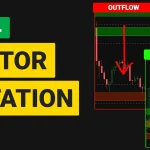
The volatility box indicator is particularly useful after economic releases because it provides dynamic support and resistance levels that adjust to increased volatility. For futures traders, the volatility box for futures provides the same levels on /ES, /NQ, /CL, and other contracts that react to economic data.
# Post-Economic Report Momentum Scanner
# Use after ChatGPT confirms directional bias

def preMktHigh = high(period = AggregationPeriod.DAY)[1];
def preMktLow = low(period = AggregationPeriod.DAY)[1];
def avgVol20 = Average(volume, 20);
def volRatio = volume / avgVol20;

def atr14 = Average(TrueRange(high, close, low), 14);
def moveSize = AbsValue(close - open);
def atrMultiple = moveSize / atr14;

# Bullish breakout after dovish report
def bullishBreakout = close > preMktHigh and volRatio > 2.0 and atrMultiple > 1.5;

# Bearish breakdown after hawkish report
def bearishBreakdown = close < preMktLow and volRatio > 2.0 and atrMultiple > 1.5;

plot BullSignal = bullishBreakout;
plot BearSignal = bearishBreakdown;
BullSignal.SetPaintingStrategy(PaintingStrategy.BOOLEAN_ARROW_UP);
BearSignal.SetPaintingStrategy(PaintingStrategy.BOOLEAN_ARROW_DOWN);
BullSignal.SetDefaultColor(Color.GREEN);
BearSignal.SetDefaultColor(Color.RED);
This scanner works alongside your ChatGPT analysis. If ChatGPT flags a report as dovish, run the bullish breakout filter on rate-sensitive stocks. If hawkish, flip to bearish breakdown. The scanner handles technical filtering while ChatGPT handles fundamental interpretation.
ThinkScript for Economic Report Volatility Windows
Economic reports create predictable volatility patterns. The first 15-30 minutes after a release see the highest volume and widest ranges. This script helps identify when you are inside that window.
# Economic Report Volatility Window
# Highlights first 30 min after major report times

input reportTime = 0830; # CPI/NFP release at 8:30 AM ET
input windowMinutes = 30;

def marketOpen = SecondsFromTime(reportTime) >= 0;
def windowEnd = SecondsFromTime(reportTime) <= (windowMinutes * 60);
def inWindow = marketOpen and windowEnd;

def windowHigh = if inWindow and !inWindow[1] then high
    else if inWindow then Max(windowHigh[1], high)
    else windowHigh[1];
def windowLow = if inWindow and !inWindow[1] then low
    else if inWindow then Min(windowLow[1], low)
    else windowLow[1];

plot HighLevel = if SecondsFromTime(reportTime) > 0 then windowHigh else Double.NaN;
plot LowLevel = if SecondsFromTime(reportTime) > 0 then windowLow else Double.NaN;
HighLevel.SetDefaultColor(Color.CYAN);
LowLevel.SetDefaultColor(Color.MAGENTA);

AssignBackgroundColor(if inWindow then Color.DARK_GRAY else Color.CURRENT);
AddLabel(inWindow, "REPORT WINDOW ACTIVE", Color.YELLOW);
Historical Comparison and Advanced Prompt Techniques
One of ChatGPT's underused capabilities is comparing current reports to historical data. A 0.3% core CPI reading means different things depending on the trend. Ask ChatGPT to place the current report in context:
"Compare this CPI reading to the last 6 reports. Is the trend accelerating, decelerating, or stable? How did the S&P 500 react in the 24 hours following each? Based on the pattern, what is the most likely reaction today?"
Advanced techniques that improve analysis quality:
- Chain-of-Thought: "Walk through your analysis step by step before giving your final trading assessment." This produces more nuanced output.
- Contrarian Analysis: "Now argue the opposite case. What would make this report's impact the reverse of your initial assessment?"
- Sector Drill-Down: "Rank these sectors from most bullish to most bearish based on this CPI: XLF, XLK, XLE, XLU, XLRE, XLV."
- Probability Framework: "What is the probability this NFP leads to a rate cut at the next FOMC? Express as a percentage with reasoning."
| Analysis Type | ChatGPT Prompt Focus | ThinkOrSwim Tool | Combined Edge |
|---|---|---|---|
| CPI Surprise | Headline vs Core vs expectations | Volatility Box levels | Directional bias + precise entries |
| NFP Wage Trend | Earnings data + revisions | Sector scanners | Sector rotation + technical filters |
| FOMC Language | Statement diff + tone scoring | TTM Squeeze on /ES, /NQ | Policy direction + breakout timing |
| GDP Composition | Component breakdown | Custom scanners | Growth sector bets + momentum |
| Pre-Report Prep | Consensus + key levels | Futures Volatility Box | Expected move ranges + S/R |
ChatGPT cannot access real-time market data, current prices, or live economic releases. You must paste the actual report data into your prompt. Do not ask "What was today's CPI number?" - always provide the data and ask for analysis of what you provided.
Common Mistakes When Using ChatGPT for Reports
Vague Prompts: Asking "What does this CPI report mean?" gets you a generic economics lecture. Always specify that you want trading implications, timeframes, and specific instruments.
Ignoring Context: A single report in isolation is less useful than a report in context. Include prior readings, consensus expectations, and current market conditions in your prompt.
Over-Relying on AI: ChatGPT is an analysis tool, not a trading signal. It should inform your bias, not replace your technical analysis. Always confirm with price action and your volatility box levels.
Not Updating Prompts: Market regimes change. A prompt that works during a rate-hiking cycle may need adjustment during a cutting cycle. Review templates quarterly.
Volatility Expansion Alert for Report Days
# Report-Day Volatility Expansion Alert
# Fires when current bar range exceeds threshold

input atrLength = 14;
input expansionMultiple = 2.0;

def atr = Average(TrueRange(high, close, low), atrLength);
def currentRange = high - low;
def rangeRatio = currentRange / atr;
def isExpanded = rangeRatio >= expansionMultiple;
def expansionStart = isExpanded and !isExpanded[1];

def avgVol = Average(volume, 20);
def confirmedExpansion = isExpanded and volume > avgVol * 2;

plot ExpansionSignal = confirmedExpansion;
ExpansionSignal.SetPaintingStrategy(PaintingStrategy.BOOLEAN_POINTS);
ExpansionSignal.SetDefaultColor(Color.YELLOW);
ExpansionSignal.SetLineWeight(3);

AddLabel(yes, "Range/ATR: " + Round(rangeRatio, 2) + "x",
    if rangeRatio >= expansionMultiple then Color.RED
    else if rangeRatio >= 1.5 then Color.YELLOW
    else Color.GREEN);

Alert(expansionStart, "Volatility Expansion - Report Reaction", Alert.BAR, Sound.Ding);
Integrating with the TTM Squeeze for Report Trades
The TTM Squeeze on thinkorswim is one of the best indicators for timing entries after economic reports. Economic data often triggers a squeeze release - price consolidates before a report, then explodes when data drops. Using ChatGPT to determine the likely direction and the TTM Squeeze to time entry gives you both fundamental and technical alignment.
Watch for these patterns during report windows:
- Pre-report squeeze (dots turning red) on the 5-minute chart of /ES or /NQ
- ChatGPT analysis confirming directional bias from the report
- Squeeze firing (dots turning green) in the direction of the ChatGPT bias
- Volume confirming through the volatility expansion alert above
When all four align, you have a high-probability setup. The squeeze course covers the technical side in detail, including how to set stops and targets using the squeeze momentum histogram. Using thinkorswim scripts for day trading like these alongside ChatGPT analysis gives you a systematic edge on report days.
ChatGPT is most effective as an economic analysis tool when you use structured prompts that demand specific, trading-focused output. Build prompt templates for each major report type and iterate based on your accuracy tracking.
The winning workflow combines ChatGPT for fundamental direction, the volatility box for dynamic support/resistance levels, and the TTM Squeeze for entry timing. This three-layer approach covers the what, where, and when of report-day trading.
Always validate ChatGPT's directional bias against actual price action before trading. When your thinkorswim indicators agree with the AI analysis, trade with confidence. When they disagree, wait for clarity.
Tools Referenced in This Guide
- Volatility Box - Dynamic support and resistance levels for report-driven volatility
- Volatility Box for Futures - Futures-specific levels for /ES, /NQ, /CL and more
- ThinkOrSwim Indicators - Full suite of thinkorswim indicators for day trading
- Squeeze Pro Course - Master the TTM Squeeze for timing entries after economic releases
- ThinkOrSwim Scanners - Custom thinkorswim scanners for finding report-driven momentum

Ready to Trade With an Edge?
Join 40,000+ traders using institutional-grade tools for ThinkOrSwim.
Get the Bundle