
 Fair Value Gap
 False Breakout Scanner
 Heiken Ashi Trend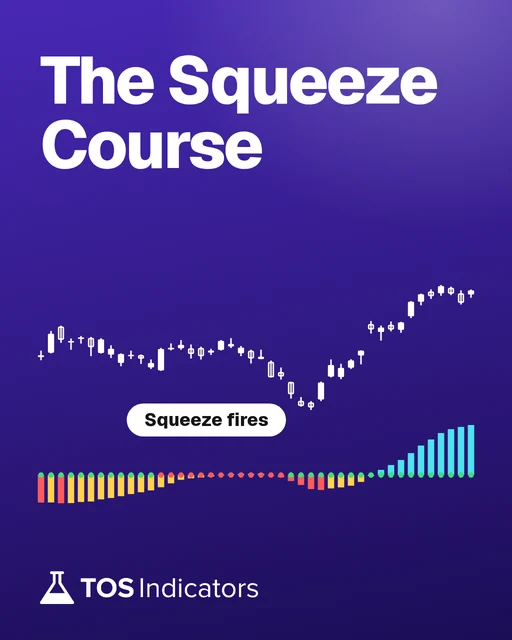
 Stock Volatility Box
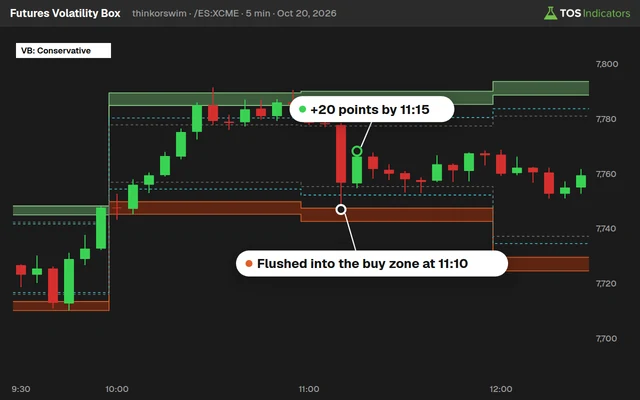 Futures Volatility Box
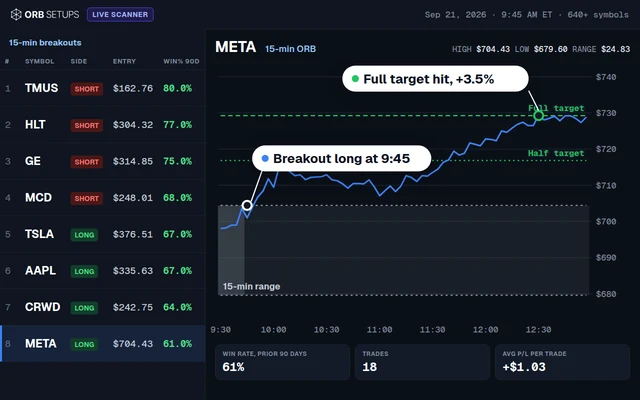 ORB Setups
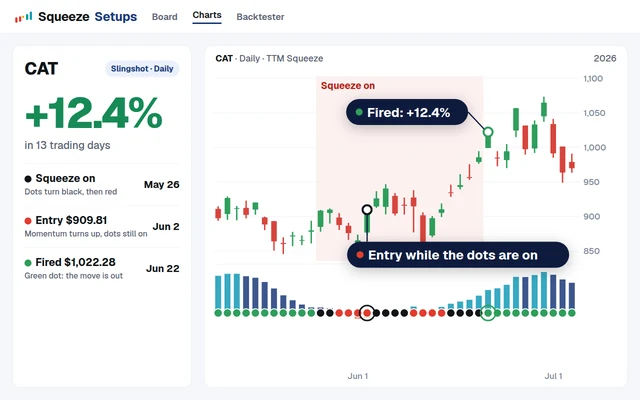 Squeeze Setups
Why Volatility Is the Day Trader's Edge
Volatility is not risk. Volatility is range, and range is profit potential. A stock that moves 3% intraday gives a day trader three times the opportunity of one that moves 1%. Without price movement, there is nothing to capture.
Most retail traders fear volatile sessions. They see red candles, widening spreads, and fast prints, then step aside. Professional day traders do the opposite. They prepare for those sessions because the largest intraday moves produce the largest payouts per trade.
Volatility day trading on ThinkOrSwim requires specific scripts and indicators to measure conditions in real time. The three setups in this article use volatility as the primary filter, not just a background metric. Each setup activates only when volatility conditions align.
How to Measure Intraday Volatility on ThinkOrSwim
Before running any volatility setup, you need to quantify the current volatility regime. Four metrics give you the full picture: ATR, VIX, Bollinger Band width, and expected move. Each measures a different dimension of price behavior.
ATR (Average True Range)
ATR measures the average size of recent candles, including gaps. A 14-period ATR on a 5-minute chart tells you how far price has been moving per bar. Compare today's ATR to the 20-day average ATR to determine whether the current session is expanding or contracting. ATR is the best thinkorswim indicator for day trading volatility because it adapts to real-time price action.
VIX (CBOE Volatility Index)
VIX measures implied volatility on S&P 500 options. It reflects the market's expectation of forward 30-day volatility. For day traders, VIX above 20 signals elevated fear and wider intraday ranges. VIX below 13 signals compression and narrow ranges where setups produce more false signals.
Bollinger Band Width
Bollinger Band width (BBW) calculates the distance between upper and lower bands as a percentage of the middle band. Narrow BBW indicates a squeeze. When BBW contracts to its lowest level in 20+ bars, a breakout is statistically likely within the next few sessions.
Expected Move
Expected move is derived from options pricing. ThinkOrSwim displays the expected move on the Trade tab for any optionable symbol. If SPY's expected move is $4.50 and it has already moved $4.00, the remaining edge on a directional trade shrinks. Use expected move as a target cap for intraday trades.
| Metric | What It Measures | Where to Find on TOS | Day Trading Use |
|---|---|---|---|
| ATR (14) | Average candle size | Studies > Volatility > ATR | Position sizing, stop width |
| VIX | Implied volatility (SPX) | Chart VIX as symbol | Regime filter, fade trigger |
| Bollinger Band Width | Band compression | Studies > Volatility > BollingerBandWidth | Squeeze detection |
| Expected Move | Options-implied range | Trade tab > expected move | Profit target cap |
Setup 1: VIX Spike Fade
The VIX spike fade is a mean-reversion setup that activates when VIX jumps above 20 during the trading session. Sharp VIX spikes correspond to panic selling in equities. That initial panic move tends to overshoot, creating a fade opportunity at predefined support or resistance levels.
Why This Setup Works
VIX spikes above 20 reflect sudden demand for downside protection. Market makers widen spreads and pull bids. Retail panic accelerates the move. But institutional algorithms begin absorbing inventory at key levels within 15 to 45 minutes of the spike. The fade trade captures the reversion from the overshoot back toward fair value.
Entry Rules for the VIX Spike Fade
Wait for VIX to cross above 20 intraday. Identify the nearest Volatility Box support level on your primary instrument (ES, NQ, SPY, or QQQ). Watch for price to tag or pierce that level, then print a reversal candle (hammer, engulfing, or inside bar breakout) on the 5-minute chart. Enter on the break of the reversal candle's high.
Exit Rules
First target is the midpoint between the Volatility Box support and the session VWAP. Second target is VWAP itself. Stop loss goes below the Volatility Box level by one ATR unit. If VIX continues to expand above 25 after entry, cut the position at a half-loss rather than waiting for the
Setup 2: Volatility Squeeze Breakout
The volatility squeeze breakout uses the TTM Squeeze indicator on ThinkOrSwim to identify periods of extreme compression followed by directional expansion. This is one of the most reliable TOS scripts for day trading because the squeeze mechanic has a well-documented statistical edge.
How the TTM Squeeze Works
The TTM Squeeze fires when Bollinger Bands contract inside Keltner Channels. Red dots on the squeeze histogram indicate compression. When the dots turn green, the squeeze has "fired" and momentum is releasing. The direction of the momentum histogram (above or below zero) indicates the breakout direction.
Entry Rules for the Squeeze Breakout
Identify a squeeze on the 5-minute or 15-minute chart (red dots for at least 6 consecutive bars). Wait for the first green dot. Confirm that the momentum histogram is rising (for longs) or falling (for shorts). Enter on the close of the first green-dot bar with a market or limit order at the close price.
Filtering Squeezes by Volatility Regime
Not every squeeze produces a tradable breakout. The best squeezes fire on days when ATR is above its 20-period average and VIX is between 15 and 25. Squeezes during ultra-low VIX (below 13) often produce muted breakouts that stall quickly. Squeezes during VIX above 30 can produce violent moves that blow past targets.
| VIX Range | Squeeze Quality | Expected Breakout Magnitude | Recommended Action |
|---|---|---|---|
| Below 13 | Low | 0.3 to 0.5 ATR | Skip or reduce size |
| 13 to 20 | Moderate | 0.8 to 1.2 ATR | Standard position size |
| 20 to 25 | High | 1.5 to 2.0 ATR | Full size, wider targets |
| Above 25 | Extreme | 2.0+ ATR | Half size, trail stops aggressively |
Setup 3: Morning Range Expansion
The morning range expansion setup trades the breakout of the first 30 minutes of the session on days when ATR signals above-average volatility. The opening range is the market's first consensus on value. A breakout from that range, backed by volume and volatility, frequently leads to a sustained move toward the day's high or low.
Defining the Opening Range
The opening range (OR) spans from the session open at 9:30 AM ET to 10:00 AM ET. Mark the high and the low of that 30-minute window on your chart. The width of the OR gives you a built-in measure of early session volatility. Narrow ORs on high-ATR days are the highest-probability breakout candidates.
Entry Rules for Morning Range Expansion
Calculate today's ATR(14) on the daily chart. If today's ATR is 1.2x or more of the 20-day average ATR, the volatility filter is active. Wait for price to break above the OR high (for longs) or below the OR low (for shorts) after 10:00 AM. Enter on a 5-minute close outside the range. Volume on the breakout bar should exceed the average volume of the first six 5-minute bars.
Targets and Stops
First profit target sits at 1x the OR width from the breakout level. Second target sits at 1.5x the OR width. Stop loss goes at the midpoint of the opening range. If the trade does not hit the first target within 60 minutes of entry, consider closing at the current price to avoid the midday chop zone.
Pre-Trade Checklist: Volatility Conditions
Before executing any of the three setups above, run through this volatility conditions checklist. Each item takes less than 30 seconds to verify on ThinkOrSwim. If three or more conditions are red, consider sitting out or reducing position size by 50%.
| Condition | How to Check on TOS | Threshold |
|---|---|---|
| VIX Level | Add VIX to watchlist or chart | Between 15 and 25 for optimal setups |
| Daily ATR vs. 20-day Avg ATR | ATR study on daily chart, compare to 20-SMA of ATR | Today's ATR should be at or above the average |
| TTM Squeeze Status | TTM_Squeeze study on 5-min or 15-min chart | Red dots present or first green dot printing |
| Session Time | Clock on TOS platform | First 2 hours or last 2 hours of the session |
| Opening Range Width | Mark high/low of 9:30-10:00 AM manually or via script | Width should be less than 50% of the daily ATR |
ThinkScript: Intraday Volatility Dashboard
This ThinkScript code creates a lower study on your ThinkOrSwim chart that displays four volatility metrics in real time: VIX level, ATR as a percentage of price, TTM Squeeze status, and the current session range as a percentage of the daily ATR. Use this dashboard to run the pre-trade checklist without switching between charts.
# Intraday Volatility Dashboard
# TOS Indicators - tosindicators.com

declare lower;

# --- VIX Level ---
def vixClose = close("VIX");
plot VIXLevel = vixClose;
VIXLevel.SetDefaultColor(Color.CYAN);
VIXLevel.SetLineWeight(2);

# --- ATR as % of Price ---
def atrVal = ATR(14);
def atrPct = (atrVal / close) * 100;
plot ATRPercent = atrPct;
ATRPercent.SetDefaultColor(Color.YELLOW);
ATRPercent.SetLineWeight(2);

# --- TTM Squeeze Status ---
def bbUpper = BollingerBands().UpperBand;
def bbLower = BollingerBands().LowerBand;
def kcUpper = KeltnerChannels().Upper_Band;
def kcLower = KeltnerChannels().Lower_Band;
def squeezeOn = bbUpper < kcUpper and bbLower > kcLower;
plot SqueezeDots = if squeezeOn then 0 else Double.NaN;
SqueezeDots.SetPaintingStrategy(PaintingStrategy.POINTS);
SqueezeDots.SetDefaultColor(Color.RED);
SqueezeDots.SetLineWeight(3);
plot SqueezeOff = if !squeezeOn then 0 else Double.NaN;
SqueezeOff.SetPaintingStrategy(PaintingStrategy.POINTS);
SqueezeOff.SetDefaultColor(Color.GREEN);
SqueezeOff.SetLineWeight(3);

# --- Session Range % of Daily ATR ---
def dailyATR = ATR(14, period = AggregationPeriod.DAY);
def sessionHigh = high(period = AggregationPeriod.DAY);
def sessionLow = low(period = AggregationPeriod.DAY);
def sessionRange = sessionHigh - sessionLow;
def rangePct = (sessionRange / dailyATR) * 100;
plot RangeVsATR = rangePct;
RangeVsATR.SetDefaultColor(Color.MAGENTA);
RangeVsATR.SetLineWeight(2);

# --- Labels ---
AddLabel(yes, "VIX: " + Round(vixClose, 1),
 if vixClose >= 15 and vixClose <= 25 then Color.GREEN
 else if vixClose > 25 then Color.RED
 else Color.YELLOW);

AddLabel(yes, "ATR%: " + Round(atrPct, 2) + "%",
 if atrPct >= 1.5 then Color.GREEN
 else if atrPct >= 1.0 then Color.YELLOW
 else Color.RED);

AddLabel(yes, "Squeeze: " + (if squeezeOn then "ON" else "OFF"),
 if squeezeOn then Color.RED else Color.GREEN);

AddLabel(yes, "Range/ATR: " + Round(rangePct, 0) + "%",
 if rangePct < 50 then Color.GREEN
 else if rangePct < 80 then Color.YELLOW
 else Color.RED);
Add this study to any intraday chart (1-minute through 15-minute). The color-coded labels at the top of the chart give you instant visibility into all four volatility conditions. Green labels indicate favorable conditions for the three setups described above.
Risk Management for Volatile Markets
Volatile markets demand adjusted risk parameters. The same stop-loss width and position size you use on a 0.8% ATR day will blow up your account on a 2.5% ATR day. Risk management in volatile conditions comes down to three adjustments: wider stops, smaller size, and ATR-based position sizing.
Wider Stops
Standard stop-loss placement on volatile days should be 1.5x to 2x the normal distance. If you typically use a 1-ATR stop, expand to 1.5 ATR on days when VIX is above 20. This prevents noise from stopping you out before the trade thesis plays out. Tight stops during volatile sessions generate excessive losses from whipsaws.
Smaller Position Size
Reduce position size proportionally to the increase in stop width. If your stop is 1.5x wider, your position should be 1.5x smaller. This keeps your dollar risk per trade constant. A $500 risk per trade stays $500 whether your stop is 10 ticks or 15 ticks.
ATR-Based Position Sizing Formula
Position Size = Account Risk Per Trade / (ATR * Stop Multiplier * Point Value)

Example (ES Futures):
Account Risk = $500
ATR(14) on 5-min = 4.5 points
Stop Multiplier = 1.5
Point Value = $50

Position Size = $500 / (4.5 * 1.5 * $50) = $500 / $337.50 = 1.48 contracts
Round down to 1 contract.Low Volatility Days: When to Sit Out
Not every session is tradable. Low-volatility days produce tight ranges, false breakouts, and stop hunts that grind accounts down slowly. Recognizing a low-volatility environment before you start trading is more valuable than any entry signal.
Characteristics of Low-Volatility Sessions
VIX is below 13. The daily ATR is 20% or more below its 20-day average. The opening range width is less than 0.3% of price. Volume in the first 30 minutes is below the 10-day average first-30-minute volume. Price oscillates within a narrow band near VWAP without establishing directional momentum.
What Happens to the Three Setups on Low-Vol Days
| Setup | Performance on Low-Vol Days | Primary Failure Mode |
|---|---|---|
| VIX Spike Fade | Does not activate (VIX stays below trigger) | No trigger generated |
| Squeeze Breakout | Squeeze fires but breakout stalls within 0.3 ATR | Muted follow-through |
| Morning Range Expansion | Breakout fails and price reverts to midrange | False breakout, stop hit at OR midpoint |
The disciplined response on low-volatility days is to reduce size by 50% or sit out entirely. Paper trading on these days is useful for testing new scripts or practicing pattern recognition without capital risk.
Combining Volatility Setups with the Volatility Box
Each of the three setups above identifies a condition, but the Volatility Box provides the specific price levels for execution. The Volatility Box calculates proprietary support and resistance levels based on historical volatility data. These levels serve as entry zones, stop-loss anchors, and profit targets across all three setups.
VIX Spike Fade + Volatility Box
When VIX spikes above 20 and triggers the fade setup, the Volatility Box support level on ES or NQ becomes the entry zone. Instead of guessing where the panic move will exhaust, the VB level gives a data-driven price to watch. Fades initiated at VB support have a measurably higher win rate than fades at arbitrary support levels.
Squeeze Breakout + Volatility Box
After a TTM Squeeze fires, the next Volatility Box resistance level (for longs) or support level (for shorts) becomes the first profit target. This removes the guesswork from target selection. The VB level also serves as the decision point: if price stalls at the VB level, take profits. If price pushes through with momentum, hold for an extended move.
Morning Range Expansion + Volatility Box
On opening range breakouts, the Volatility Box levels above and below the opening range provide confirmation. A breakout that aligns with a nearby VB level is higher conviction. A breakout into a VB resistance level directly above the OR high is lower conviction because the VB level may act as a ceiling.
Edge Signals provides an additional confirmation layer by flagging high-probability entry points based on statistical edge analysis. Pairing Edge Signals with the Volatility Box and the three setups in this article creates a systematic volatility day trading workflow on ThinkOrSwim.
Tools for Volatility Day Trading on ThinkOrSwim
The following tools integrate with ThinkOrSwim and support the volatility day trading setups described in this article. Each tool addresses a specific component of the workflow, from level generation to signal confirmation.
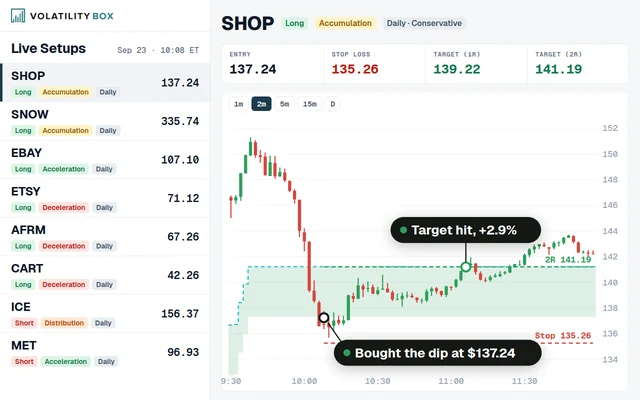
The Futures Volatility Box generates intraday support and resistance levels for ES, NQ, YM, RTY, CL, and GC. The Stock Volatility Box generates equivalent levels for optionable equities. Edge Signals provides statistical entry confirmation across both futures and stocks.
Frequently Asked Questions
What is the best ThinkOrSwim indicator for measuring intraday volatility?
ATR (Average True Range) on a 5-minute or 15-minute chart is the best ThinkOrSwim indicator for measuring intraday volatility. ATR adapts to current price action and can be compared against its 20-period average to determine whether the session is expanding or contracting relative to recent history.
How do you set up the TTM Squeeze for day trading on ThinkOrSwim?
Add the TTM_Squeeze study to a 5-minute or 15-minute chart on ThinkOrSwim. Red dots indicate Bollinger Bands are inside Keltner Channels (compression). Green dots indicate the squeeze has fired. Trade in the direction of the momentum histogram after the first green dot appears. Filter squeezes by VIX level to avoid low-probability setups during compressed volatility regimes.
Should you day trade when VIX is below 13?
Day trading when VIX is below 13 produces lower win rates and smaller average gains across all three volatility setups. Squeeze breakouts stall quickly, opening range breakouts generate false signals, and the VIX spike fade does not activate. Reducing position size by 50% or sitting out entirely on sub-13 VIX days preserves capital for higher-volatility sessions.
How do you calculate position size using ATR for volatile day trades?
Divide your maximum dollar risk per trade by the product of the current ATR, your stop multiplier (typically 1.5 on volatile days), and the instrument's point value. For example, with $500 risk, a 4.5-point ATR on ES, a 1.5x stop multiplier, and a $50 point value, the calculation is $500 / (4.5 x 1.5 x $50) = 1.48 contracts, rounded down to 1.
What time of day produces the best volatility setups for day trading?
The first 90 minutes after the open (9:30 to 11:00 AM ET) and the last 90 minutes before the close (2:30 to 4:00 PM ET) produce the best volatility setups for day trading. Approximately 68% of the total daily range occurs during these windows. The midday period from 11:30 AM to 2:00 PM ET tends to produce choppy, low-conviction price action.
Can you use the Volatility Box levels with any of these three setups?
The Volatility Box levels integrate with all three setups. For the VIX spike fade, VB support levels define the entry zone. For the squeeze breakout, VB resistance or support levels set profit targets. For the morning range expansion, VB levels provide confirmation or caution zones near the opening range boundaries.
 How to Identify and Trade False Breakouts
 Best ThinkOrSwim Indicators: 15 Custom Studies Every Trader Needs
 Trend Shift Scanner: Catch Reversals at the Inflection Point
 ES Futures Trading Strategy: Volatility Levels, ORB, and ATR-Based Entries
 Best Volume Indicators for ThinkOrSwim: Relative Volume, VWAP, and OBV