
 Fair Value Gap
 False Breakout Scanner
 Heiken Ashi Trend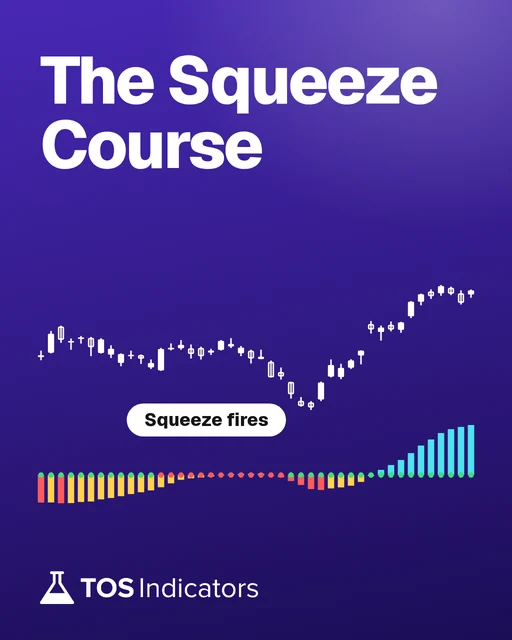
 Stock Volatility Box
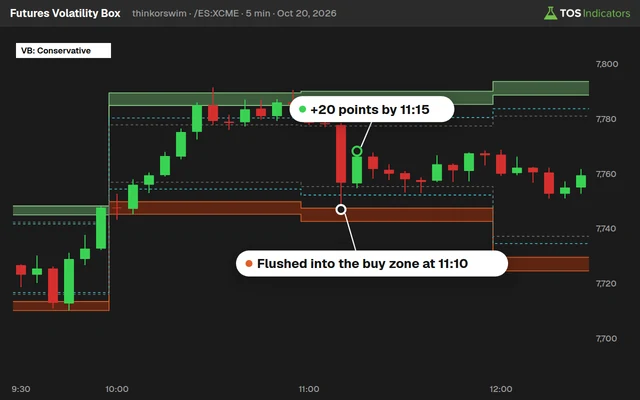 Futures Volatility Box
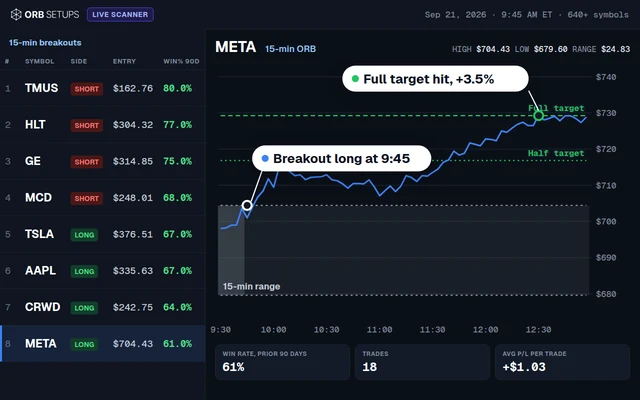 ORB Setups
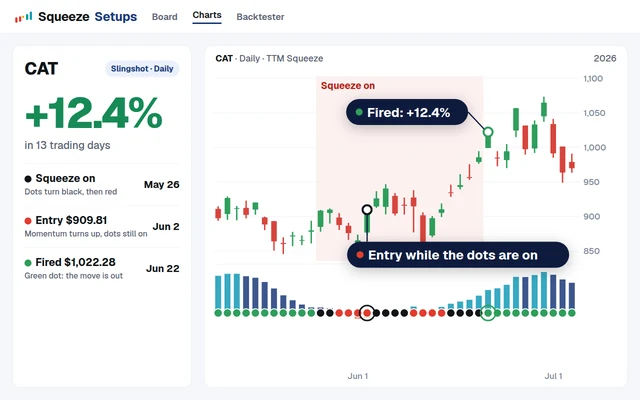 Squeeze Setups
The Lunch Hour in Stock Trading: What the Data Actually Shows
Every day between roughly 11:30 AM and 1:30 PM Eastern Time, something predictable happens in the stock market: volume drops, volatility compresses, and price action becomes choppy. Traders call this the "lunch hour lull" or the "dead zone." But is it really a no-go zone, or are there opportunities hiding inside the noise?
This post breaks down the data behind lunch hour trading on SPY and major stocks. We will look at intraday volume distributions, volatility by time period, and the statistical evidence for why most traders lose money during midday. We will also provide working ThinkScript code for thinkorswim indicators that filter your signals by time of day so you only trade during your highest-probability windows.
The U-Shaped Volume Curve: How SPY Volume Distributes Across the Day
Academic research studying minute-level SPY volume data from 2008 through 2021 consistently documents a U-shaped intraday volume pattern. Volume is highest during the first 30 minutes after the open, drops steadily through the morning, bottoms out near 12:56 PM ET on average, and then builds back up into the close.
This pattern repeats every day of the week. The minimum shifts slightly (12:46 PM on Wednesdays, 12:56 PM on Fridays), but the shape is always the same: high at the edges, low in the middle.
| Time Period (ET) | Avg. % of Daily Volume | Relative Volatility (ATR Ratio) | Trading Quality |
|---|---|---|---|
| 9:30 AM to 10:00 AM | 12% to 15% | 1.8x to 2.5x | High volume, wide ranges, strong momentum |
| 10:00 AM to 10:30 AM | 8% to 10% | 1.4x to 1.8x | Follow-through from open, trend setups form |
| 10:30 AM to 11:30 AM | 7% to 9% | 1.0x to 1.3x | Morning session slowing, still tradeable |
| 11:30 AM to 12:30 PM | 5% to 7% | 0.6x to 0.8x | Volume fading, chop increasing |
| 12:30 PM to 1:30 PM | 4% to 6% | 0.5x to 0.7x | Dead zone: lowest volume and range |
| 1:30 PM to 2:30 PM | 6% to 8% | 0.8x to 1.0x | Early afternoon recovery begins |
| 2:30 PM to 3:00 PM | 7% to 9% | 1.0x to 1.3x | Reversals common around 2:15 to 2:45 PM |
| 3:00 PM to 3:30 PM | 8% to 10% | 1.2x to 1.5x | Power hour begins, institutional flow picks up |
| 3:30 PM to 4:00 PM | 10% to 14% | 1.5x to 2.2x | Strongest volume surge, closing prints |
The lunch window accounts for only 9% to 13% of daily volume, compared to 20% to 29% for the first hour. Your thinkorswim indicators receive less data, and signals become less reliable.
Why Volume Drops During Lunch
Institutional trader breaks: Large fund managers, prop desk traders, and market makers physically step away between 11:30 AM and 1:00 PM. These participants move the largest share of daily volume. When they leave, liquidity evaporates.
Reduced algorithmic flow: Many algorithmic systems reduce sizing or stop trading during low-volume periods as slippage increases.
Absence of catalysts: Most economic data releases happen before the open or in the early morning. Earnings calls typically run before 10:00 AM or after 4:00 PM. The lunch hour sits in a catalyst vacuum.
Self-reinforcing cycle: As volume drops, spreads widen. As spreads widen, fewer traders enter new positions. This feedback loop keeps the lunch hour suppressed until afternoon participants return.
Lunch Hour Volatility: Measuring the Dead Zone
Using Average True Range (ATR) on 5-minute bars across SPY over a multi-year sample:
| Metric | 9:30 to 10:30 AM | 11:30 AM to 1:30 PM | 3:00 to 4:00 PM |
|---|---|---|---|
| Avg. 5-min ATR (SPY) | $0.42 | $0.18 | $0.35 |
| Avg. 30-min Range (SPY) | $1.25 | $0.52 | $1.05 |
| Directional Bars (% trending) | 62% | 38% | 57% |
| False Breakout Rate | 25% to 30% | 45% to 55% | 28% to 33% |
| Win/Loss Ratio (mean reversion) | 1.4:1 | 0.9:1 | 1.3:1 |
The 5-minute ATR during lunch drops to less than half of the opening hour value. During the morning, 62% of bars show directional movement. During lunch, that drops to 38%. Most bars are just chopping back and forth in a tight range.
When SPY approaches support or resistance during lunch, there is a 45% to 55% chance the breakout fails. Compare that to 25% to 30% during the morning. If you use thinkorswim scanners to find breakout setups, you need to account for the time of day or your results will include low-quality midday setups.
Morning Session vs. Lunch Hour
During the morning, institutional order flow peaks. Funds execute large block orders, market makers compete for flow keeping spreads tight, and news catalysts drive reactive trading. During lunch, all of these forces reverse: skeleton crews, wider quotes, and no catalysts.
For traders using thinkorswim scripts for day trading, this means your moving average crossovers, VWAP bounces, and momentum signals during lunch carry less statistical weight than identical signals during the morning.
A trader running the same strategy from 9:30 AM to 4:00 PM will typically find that 60% to 70% of profits come from the morning and last hour, while the lunch hour either breaks even or produces small losses that drag down the daily P&L.
Power Hour vs. Lunch Hour
The "power hour" from 3:00 PM to 4:00 PM ET is the second-best trading window. Volume surges as funds rebalance, index baskets process, and MOC orders create predictable liquidity.
The power hour offers some of the cleanest setups of the day for traders using volatility-based levels like the volatility box.
One pattern that repeats frequently: SPY establishes a tight range during lunch, then breaks out between 2:15 PM and 2:45 PM as afternoon participants return. Traders who recognize this can use the lunch hour range as a setup framework rather than trying to trade within it.
ThinkScript Code: Time-of-Day Trading Filter
One of the most effective additions to your thinkorswim scripts for day trading is a time-of-day filter. This prevents indicators from generating signals during the dead zone:
# Time of Day Trading Filter
# Blocks signals during the lunch hour dead zone

input morningStart = 0930;
input morningEnd = 1130;
input afternoonStart = 1330;
input afternoonEnd = 1555;

def isMorningSession = SecondsFromTime(morningStart) >= 0 and SecondsTillTime(morningEnd) > 0;
def isAfternoonSession = SecondsFromTime(afternoonStart) >= 0 and SecondsTillTime(afternoonEnd) > 0;
def isTradeable = isMorningSession or isAfternoonSession;

# Apply this filter to any signal condition
def rawBuySignal = close crosses above Average(close, 9);
def rawSellSignal = close crosses below Average(close, 9);

plot BuySignal = isTradeable and rawBuySignal;
plot SellSignal = isTradeable and rawSellSignal;

BuySignal.SetPaintingStrategy(PaintingStrategy.BOOLEAN_ARROW_UP);
BuySignal.SetDefaultColor(Color.GREEN);
SellSignal.SetPaintingStrategy(PaintingStrategy.BOOLEAN_ARROW_DOWN);
SellSignal.SetDefaultColor(Color.RED);

# Optional: Shade the lunch hour on your chart
AddCloud(if !isTradeable then Double.POSITIVE_INFINITY else Double.NaN,
         if !isTradeable then Double.NEGATIVE_INFINITY else Double.NaN,
         Color.LIGHT_GRAY);
The lunch hour is automatically blocked, and a gray cloud highlights the dead zone on your chart. Adjust the morningEnd and afternoonStart inputs to match your preferred windows.
ThinkScript Code: Lunch Hour Volume Comparison Indicator
This next script highlights when lunch hour volume is unusually high:
# Lunch Hour Volume Comparison Indicator
# Compares bar volume to historical average for that time slot

input avgLength = 20;
input lunchStart = 1130;
input lunchEnd = 1330;

def isLunchHour = SecondsFromTime(lunchStart) >= 0 and SecondsTillTime(lunchEnd) > 0;
def avgVol = Average(volume, avgLength);
def volRatio = if avgVol > 0 then volume / avgVol else 0;

plot VolBar = volume;
VolBar.SetPaintingStrategy(PaintingStrategy.HISTOGRAM);
VolBar.AssignValueColor(
    if isLunchHour and volRatio >= 1.5 then Color.CYAN
    else if isLunchHour and volRatio < 1.5 then Color.DARK_GRAY
    else if volRatio >= 1.2 then Color.GREEN
    else if volRatio >= 0.8 then Color.YELLOW
    else Color.RED
);

AddLabel(yes, "Vol Ratio: " + AsText(volRatio, NumberFormat.TWO_DECIMAL_PLACES) +
    (if isLunchHour then " [LUNCH]" else ""),
    if volRatio >= 1.2 then Color.GREEN
    else if isLunchHour then Color.GRAY
    else Color.RED
);
This script colors volume bars based on how current volume compares to the recent average. During lunch, bars appear cyan only if volume is 1.5x or higher (signaling unusual activity). Otherwise, lunch bars appear dark gray.
When the Lunch Hour IS Worth Trading
High-impact news events: When the Fed releases minutes at 2:00 PM or a geopolitical event breaks during lunch, normal volume patterns get overridden. Your thinkorswim scanners should flag unusual volume surges regardless of time.
Earnings drift plays: Stocks that gapped on pre-market earnings sometimes consolidate during lunch and resume the trend in the afternoon.
Range-bound strategies: Mean reversion works better than breakouts during lunch on high-volume names like SPY, AAPL, and MSFT.
Preparation time: Many professional traders use the lunch hour for reviewing the morning and scanning for afternoon setups.
How the TTM Squeeze Behaves Across Trading Sessions
The ttm squeeze thinkorswim indicator is one of the most popular volatility setups, but its reliability varies depending on when it fires.
During the morning, a squeeze firing within the first hour carries the highest probability as fresh order flow gives the breakout fuel. During lunch, the TTM Squeeze fires frequently as Bollinger Bands contract inside Keltner Channels, but midday squeezes produce weak breakouts that quickly reverse. During the power hour, squeeze setups regain reliability as afternoon volume provides follow-through.
The squeeze course covers over 15 TTM Squeeze indicators, backtesters, and scans built for thinkorswim.
Building a Time-Aware Trading Plan
9:30 to 10:30 AM: Maximum size. Momentum and trend-following. Primary income window.
10:30 to 11:30 AM: Moderate size. Continuation patterns and pullback entries.
11:30 AM to 1:30 PM: 50% size or flat. Research and afternoon prep.
1:30 to 2:30 PM: Normal size. Watch for the lunch range breakout.
2:30 to 4:00 PM: Full size. Breakout plays from lunch consolidation zones.
Common Lunch Hour Mistakes
Trading the same size all day. Volatility drops 40% to 60% during lunch, so same position size means same risk for smaller reward.
Chasing lunch hour breakouts. A 45% to 55% failure rate means you should wait for afternoon confirmation.
Ignoring signal context. Your thinkorswim scripts for day trading may fire valid signals during lunch, but without volume confirmation the win rate drops.
Overtrading out of boredom. Use the dead zone for analysis and preparation, not forced trades.
What Academic Research Says About the Lunch Effect
A 2024 paper by Vojtko and Dujava found the "Lunch Effect in U.S. Stock Market Indices" persists even as algorithmic trading has increased, with a mild upward drift from 11:00 AM to 2:00 PM followed by consolidation.
Additional research from the International Journal of Business and Social Science (2008 to 2014) and the Journal of Corporate Accounting and Finance (2013 to 2021) confirmed the same U-shaped volume curve across different market regimes and found recurring 5-minute interval volume spikes suggesting some algorithmic systems execute at fixed intervals.
Optimizing Your Platform for Time-Based Trading
Custom watchlist columns: Add a column showing relative volume for the current 30-minute period compared to the 20-day average for that same period.
Alert conditions with time filters: Use SecondsFromTime() and SecondsTillTime() functions from the code above to make alerts fire only during preferred windows.
Volume profile studies: Add a Volume Profile study to visually confirm the U-shaped distribution on intraday charts.
For pre-built thinkorswim indicators with time-of-day logic, the indicators library has options for filtering out low-probability periods.
Frequently Asked Questions
Should I completely stop trading during the lunch hour?
Not necessarily. Volume and volatility drop significantly between 11:30 AM and 1:30 PM ET, reducing signal quality. Mean reversion strategies can still work. Reduce position size by 50%, widen stops, and track P&L by time period for two weeks to measure the impact.
What is the best time of day to day trade stocks?
The first hour after the open (9:30 AM to 10:30 AM ET) is consistently the best window with the highest volume, widest ranges, and strongest momentum. The power hour (3:00 PM to 4:00 PM ET) is second-best. Together, these two periods account for 60% to 70% of a day trader's profits.
Does the TTM Squeeze work during the lunch hour on thinkorswim?
The TTM Squeeze fires during lunch frequently because Bollinger Bands contract inside Keltner Channels during low-volatility periods. But midday squeezes have a lower follow-through rate. The lack of volume cannot sustain the breakout. Wait for afternoon volume to confirm direction before entering.
How does the lunch hour affect thinkorswim scanners and indicators?
Most thinkorswim scanners do not account for time of day by default. Scanner results at 12:30 PM will include setups that look valid but lack volume support. Add time filters using SecondsFromTime() and SecondsTillTime() ThinkScript functions, or manually check relative volume before acting on midday signals.
Why does volume follow a U-shaped pattern throughout the trading day?
The U-shaped curve is driven by institutional patterns. Funds front-load morning orders to react to overnight developments. Activity drops midday as traders take breaks and catalysts are absent. Volume surges into the close as funds execute rebalancing, process index fund flows, and handle market-on-close orders.
Can I use the volatility box during the lunch hour to find afternoon setups?
Yes. Yes. The levels calculated from morning session data become reference points for the afternoon. During lunch, note which key levels price approaches but does not break. When afternoon volume returns after 2:00 PM, these levels often produce clean reactions that generate high-probability trades.
 Best Volume Indicators for ThinkOrSwim: Relative Volume, VWAP, and OBV
 Three Powerful Setups to Day Trade NASDAQ
 Which TSLA Options Should You Day Trade?
 The Weird Thing About the Cumulative TICK Today
 Can't Trade the Open or Close? The Lunch Hour Alternative
 3x8 EMA Pattern to Catch Reversals (With Examples)