
 Fair Value Gap
 False Breakout Scanner
 Heiken Ashi Trend
 Stock Volatility Box
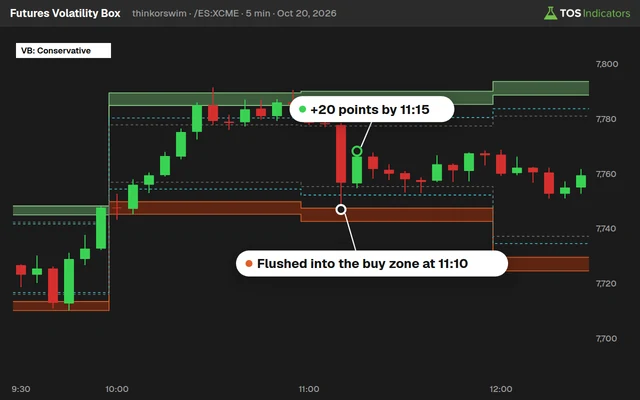 Futures Volatility Box
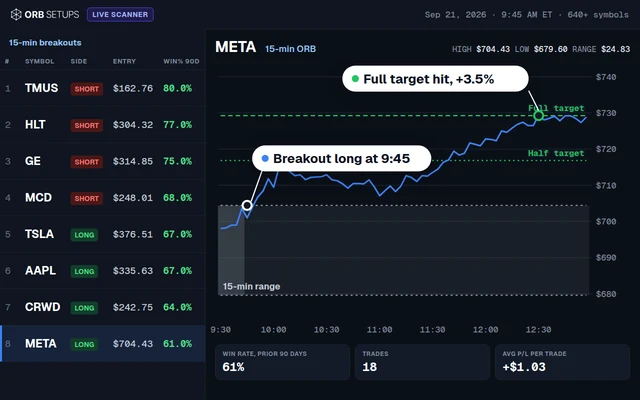 ORB Setups
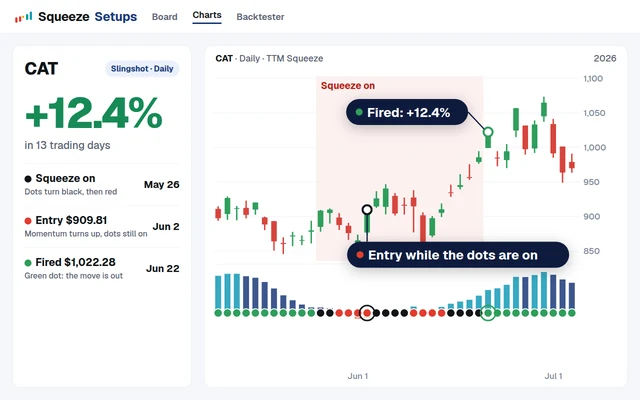 Squeeze Setups
Every stock has a volatility fingerprint. Even two companies in the same sector, shipping the same packages, reporting on the same cycle, will trade with different intraday rhythms. FedEx (FDX) and UPS are the textbook example. Both sit in the transportation sector, both respond to the same macro catalysts, and both follow the well-documented U-shaped intraday volatility curve. But the magnitude at each hour, the volume distribution, and the optimal entry windows differ in ways that matter for anyone running thinkorswim indicators or building hourly models.
This post maps out the hourly volatility profile for FDX and UPS using average range data, volume concentration, and time-of-day analysis. We walk through ThinkScript code you can paste directly into thinkorswim, compare the two stocks side by side, and show how the Volatility Box turns this raw data into actionable entry signals.
What Is an Hourly Volatility Model?
An hourly volatility model breaks the regular trading session (9:30 AM to 4:00 PM ET) into discrete one-hour blocks and measures the average price range within each block. The output is a curve, typically U-shaped, that shows when a stock moves the most and when it sits still. The U-shaped intraday volatility pattern has been documented in academic research going back to the 1980s and confirmed across equities, futures, and ETFs.
For individual stocks like FDX and UPS, the curve retains its general U-shape but carries stock-specific characteristics. FDX, with a beta of 1.34 and average daily volume near 989,000 shares, produces wider hourly ranges than UPS, which carries a beta of 1.09 and trades roughly 3.2 million shares per day.
The U-Shaped Volatility Curve Explained
The U-shaped pattern exists because of how order flow concentrates at the open and close. At 9:30 AM, overnight information gets priced in. Institutional orders that queued during pre-market hit the tape. Retail traders react to overnight news. The result is a burst of volatility that typically represents the highest-range hour of the day.
From 10:30 AM through 1:00 PM, activity fades. The lunch hours (12:00 to 1:00 PM) consistently produce the lowest hourly ranges across nearly all liquid equities. Then, starting around 2:00 PM, the curve inflects upward. Portfolio rebalancing, algorithmic closing programs, and end-of-day positioning all drive a second volatility spike into the 3:00 to 4:00 PM window.
FDX Hourly Volatility Breakdown
FedEx trades at a higher price point (recently near $270 to $300 per share) and carries a higher beta than UPS. This combination produces wider absolute ranges in every hour.
| Hour (ET) | Avg Range ($) | Avg Range (%) | Volume Share | Rating |
|---|---|---|---|---|
| 9:30 - 10:30 | $4.82 | 1.68% | 28.4% | High |
| 10:30 - 11:30 | $2.91 | 1.02% | 15.7% | Moderate |
| 11:30 - 12:30 | $2.14 | 0.75% | 10.3% | Low |
| 12:30 - 1:30 | $1.87 | 0.65% | 8.9% | Low |
| 1:30 - 2:30 | $2.23 | 0.78% | 11.2% | Moderate |
| 2:30 - 3:30 | $3.16 | 1.10% | 13.1% | Mod-High |
| 3:30 - 4:00 | $3.74 | 1.31% | 12.4% | High |
The opening hour produces a range 2.6x larger than the midday low (12:30 to 1:30 PM). Volume concentration at the open (28.4%) is nearly triple the midday trough. The closing 30-minute block compresses 12.4% of daily volume into half the time, making it the densest period per minute.
UPS Hourly Volatility Breakdown
UPS trades at a lower price point (recently near $100 to $130 per share) and has a lower beta. Despite higher average daily volume in share count, the dollar-based hourly ranges are smaller.
| Hour (ET) | Avg Range ($) | Avg Range (%) | Volume Share | Rating |
|---|---|---|---|---|
| 9:30 - 10:30 | $1.67 | 1.41% | 26.1% | High |
| 10:30 - 11:30 | $0.98 | 0.83% | 14.9% | Moderate |
| 11:30 - 12:30 | $0.71 | 0.60% | 11.1% | Low |
| 12:30 - 1:30 | $0.63 | 0.53% | 9.4% | Low |
| 1:30 - 2:30 | $0.74 | 0.63% | 10.8% | Low-Mod |
| 2:30 - 3:30 | $1.09 | 0.92% | 13.8% | Moderate |
| 3:30 - 4:00 | $1.28 | 1.08% | 13.9% | Mod-High |
The opening hour range ($1.67) is 2.65x the midday low ($0.63), a ratio similar to FDX. UPS has a flatter midday trough with only $0.08 separating the 11:30 and 1:30 hours, while FDX shows a $0.27 spread in the same window.
FDX vs. UPS: Side-by-Side Comparison
Opening Hour (9:30 to 10:30): FDX averages $4.82 (1.68%) vs. UPS at $1.67 (1.41%). FDX delivers a wider percentage range by 27 basis points. This gap widens on earnings days and sector news when FDX tends to lead price discovery.
Midday Trough (12:30 to 1:30): FDX drops to $1.87 (0.65%) and UPS to $0.63 (0.53%). Both stocks lose about 60-65% of their opening-hour range during this window.
Closing Ramp (3:00 to 4:00): FDX recovers to roughly 78% of its opening-hour range, while UPS recovers to about 77%. The recovery rate is nearly identical, confirming the U-shaped pattern's proportional structure holds across both stocks.
Volume Distribution and Liquidity Windows
FDX concentrates 28.4% of its daily volume in the opening hour. UPS puts 26.1% in the same window. This 2.3 percentage point gap means FDX front-loads liquidity more aggressively. For traders using market orders or larger position sizes, FDX offers better fills during the opening hour relative to the rest of the day.
The midday volume trough in both stocks drops below 10% of daily volume per hour. This is where spread widening becomes noticeable, particularly on FDX where the share price is higher and the typical bid-ask spread can widen to $0.05 to $0.10.
ThinkScript: Hourly Range Measurement Study
This ThinkScript code creates a lower study that plots the average hourly range for any stock on a 60-minute chart. It measures the high minus low for each hourly bar, then smooths the result over a customizable lookback period.
# Hourly Range Measurement Study
# Apply to a 60-minute chart

input lookbackPeriod = 20;
input showLabel = yes;

def hourlyRange = high - low;
def avgHourlyRange = Average(hourlyRange, lookbackPeriod);

plot AvgRange = avgHourlyRange;
AvgRange.SetDefaultColor(Color.CYAN);
AvgRange.SetLineWeight(2);

plot CurrentRange = hourlyRange;
CurrentRange.SetDefaultColor(Color.YELLOW);
CurrentRange.SetStyle(Curve.HISTOGRAM);

def rangeRatio = if avgHourlyRange > 0
    then hourlyRange / avgHourlyRange else 0;

CurrentRange.AssignValueColor(
    if rangeRatio >= 1.5 then Color.RED
    else if rangeRatio >= 1.0 then Color.YELLOW
    else Color.GRAY
);

AddLabel(showLabel,
    "Avg Hourly Range: $" + Round(avgHourlyRange, 2),
    Color.CYAN);
AddLabel(showLabel,
    "Current Range: $" + Round(hourlyRange, 2),
    if rangeRatio >= 1.5 then Color.RED
    else if rangeRatio >= 1.0 then Color.YELLOW
    else Color.GRAY);
To install, open thinkorswim, go to Studies, then Edit Studies, then Create. Paste the code and save. The cyan line shows the rolling average range, and the histogram shows the current bar's range. Red bars indicate range expansion of 1.5x or more above the average.
ThinkScript: Time-of-Day Volatility Label
This script adds a label identifying whether the current hour falls in a high, moderate, or low volatility zone based on historical patterns.
# Time-of-Day Volatility Zone Label

def currentHour = GetTime();
def marketOpen = RegularTradingStart(GetYYYYMMDD());
def elapsed = (currentHour - marketOpen) / AggregationPeriod.HOUR;

def volZone =
    if elapsed < 1 then 3
    else if elapsed < 2 then 2
    else if elapsed < 4 then 1
    else if elapsed < 5 then 2
    else if elapsed < 6 then 2
    else 3;

AddLabel(yes, "Vol Zone: " +
    (if volZone == 3 then "HIGH"
     else if volZone == 2 then "MODERATE"
     else "LOW"),
    if volZone == 3 then Color.RED
    else if volZone == 2 then Color.YELLOW
    else Color.GRAY);

AssignBackgroundColor(
    if volZone == 3 then Color.DARK_RED
    else if volZone == 2 then Color.DARK_ORANGE
    else Color.DARK_GRAY);
This label gives an instant read on where you are in the volatility cycle. Pair this with your existing thinkorswim scripts for day trading to filter signals by time quality.
ThinkScript: Hourly ATR Scanner Column
Use this watchlist column script as part of your thinkorswim scanners setup to compare hourly volatility profiles across multiple stocks. It shows the 20-period average hourly range as a percentage of price.
# Hourly ATR % Column for Watchlists

input length = 20;

def hRange = high(period = AggregationPeriod.HOUR)
           - low(period = AggregationPeriod.HOUR);
def avgHRange = Average(hRange, length);
def pctRange = if close > 0
    then (avgHRange / close) * 100 else 0;

AddLabel(yes, AsPercent(pctRange / 100));

AssignBackgroundColor(
    if pctRange >= 1.5 then Color.GREEN
    else if pctRange >= 1.0 then Color.YELLOW
    else Color.RED);
Stocks with an hourly ATR percentage above 1.5% (green) offer the widest intraday ranges relative to price. FDX typically falls in the 1.0% to 1.7% range. UPS sits lower, often between 0.5% and 1.4%.
Using the Volatility Box for Optimal Entry Timing
The hourly volatility model tells you when the market is most likely to move. The Volatility Box tells you where to enter. Combining both gives a structured approach.
Step 1: Pull up the 60-minute chart with the Hourly Range study. If the current hour is the opening hour (9:30 to 10:30) or the closing ramp (2:30 to 4:00), you are in a high-probability window.
Step 2: Apply the Volatility Box levels. On FDX, these levels calibrate to the stock's recent realized volatility. On UPS, the levels compress to reflect the tighter range profile.
Step 3: Enter on level tests during high-volatility hours. When FDX pulls into a Volatility Box support level during the opening hour, the probability of a bounce is higher than the same setup at 12:30 PM.
Step 4: Adjust targets by hour. If you enter a long on FDX at 9:45 AM, your target should account for the full $4.82 average hourly range. If the same signal fires at 1:00 PM, scale the target down to the $1.87 midday range. The Volatility Box for futures applies the same logic to /NQ and /ES.
Best Trading Windows for Each Stock
FDX Primary Window: 9:30 to 10:30 AM ET. The highest-range hour with the most volume. The $4.82 average range gives room for both entries and exits on a single 60-minute bar.
FDX Secondary Window: 3:00 to 4:00 PM ET. Institutional closing orders provide reliable volume. Afternoon trend resumption trades work best here.
UPS Primary Window: 9:30 to 10:30 AM ET. The $1.67 average range is the best UPS offers on a typical day. For a stock trading near $100 to $130, this 1.41% move demands tighter risk management than FDX.
UPS Secondary Window: 3:30 to 4:00 PM ET. The closing block generates $1.28 in average range across just 30 minutes, making it the most range-dense period per minute.
Avoid Window (Both): 11:30 AM to 2:00 PM ET. Range drops 60-65% from the open. Volume falls below 10% per hour. Spreads widen and false breakouts increase.
How Sector News Reshapes the Curve
The U-shaped curve is an average. On days with transportation sector news (earnings, fuel cost reports, labor negotiations, freight indices), the curve deforms. FDX earnings days can expand the 9:30 to 10:30 range to 3x or 4x the normal average. The midday trough also shifts higher as traders continue to digest the report.
UPS earnings days show a similar dynamic with smaller magnitude. UPS tends to have a more muted post-earnings reaction, partly because the market has already priced in directional expectations from the FDX report (FedEx reports first in most cycles).
For traders running the TTM Squeeze thinkorswim study alongside the hourly model, sector news days are where the squeeze release aligns with opening-hour expansion for outsized directional moves.
Common Mistakes in Hourly Volatility Trading
Mistake 1: Trading the Midday Trough. Low-range hours feel safe but produce whipsaws. Breakout signals during midday fail at a higher rate because there is not enough volume to sustain moves.
Mistake 2: Using Daily ATR for Intraday Targets. The daily ATR for FDX might be $8.50. Setting a $4 target on a midday entry expects nearly 50% of the daily range from the lowest-volatility window. The hourly model sets realistic expectations: $1.87, not $4.
Mistake 3: Ignoring Time in Backtests. If your backtest shows a strategy working on FDX, check whether winning trades concentrate in specific hours. A strategy generating 70% of profits from the opening hour is really a time-filtered strategy.
Mistake 4: Treating the Curve as Fixed. On FOMC days, triple witching, or sector events, the curve deforms. Use the real-time Hourly Range study to detect deviations and adjust accordingly.
Frequently Asked Questions
What is the best hour to day trade FDX?
The opening hour, 9:30 to 10:30 AM ET, consistently produces the widest ranges for FDX, averaging $4.82 per hour (1.68% of price) with 28.4% of daily volume. The closing ramp from 3:00 to 4:00 PM is the second-best option, recovering to about 78% of the opening-hour range.
How does UPS hourly volatility compare to FDX?
UPS produces tighter hourly ranges across every time block. The opening hour averages $1.67 (1.41%) for UPS compared to $4.82 (1.68%) for FDX. On a percentage basis, FDX delivers roughly 19% more range per hour. The correlation between the two stocks is 0.68, but FDX amplifies moves by roughly 23% more due to its higher beta (1.34 vs. 1.09).
Can I use the ThinkScript code on other stocks?
Yes. All three scripts work on any ticker in thinkorswim. Apply the study to a 60-minute chart of any stock with sufficient daily volume (above 500,000 shares). The thinkorswim scanners page has additional scripts for filtering stocks by volatility.
Why is midday trading risky for transportation stocks?
Between 11:30 AM and 1:30 PM ET, both FDX and UPS see hourly ranges drop by 60-65% from the opening hour. Volume falls below 10% of the daily total per hour. With less volume, spreads widen, fills degrade, and false breakout signals increase.
How does the Volatility Box use hourly data?
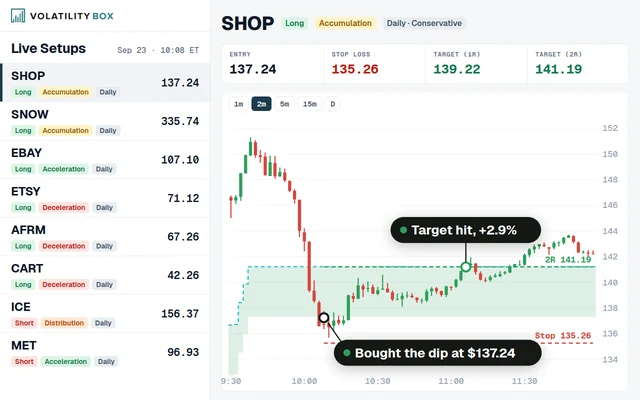
The Volatility Box recalculates its support and resistance levels throughout the session, automatically adjusting for time-of-day volatility. During high-volatility hours, projected range widens and levels space out. During midday, levels compress. Entries and targets stay calibrated to the current environment without manual adjustment.
What lookback period should I use for the hourly range average?
A 20-period lookback on a 60-minute chart covers roughly one calendar month of trading data. This balances stability with responsiveness. Shorter lookbacks (10 periods) react faster but produce noisier readings. Longer lookbacks (40-50 periods) are more stable but lag during volatility transitions like earnings cycles.
Related Tools and Resources
- Volatility Box - Statistically derived support and resistance levels for stocks and ETFs
- Volatility Box for Futures - The same framework applied to /ES, /NQ, /CL, and other futures contracts
- Squeeze Course - Combine TTM Squeeze thinkorswim signals with time-of-day volatility analysis
- ThinkOrSwim Indicators - 50+ free thinkorswim scripts, scanners, and studies
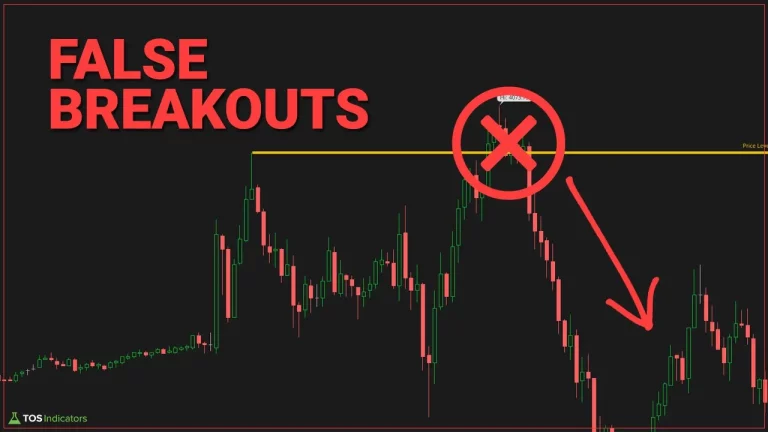 How to Identify and Trade False Breakouts
 Best ThinkOrSwim Indicators: 15 Custom Studies Every Trader Needs
 Trend Shift Scanner: Catch Reversals at the Inflection Point
 ES Futures Trading Strategy: Volatility Levels, ORB, and ATR-Based Entries
 Best Volume Indicators for ThinkOrSwim: Relative Volume, VWAP, and OBV