
 Fair Value Gap
 False Breakout Scanner
 Heiken Ashi Trend
 Stock Volatility Box
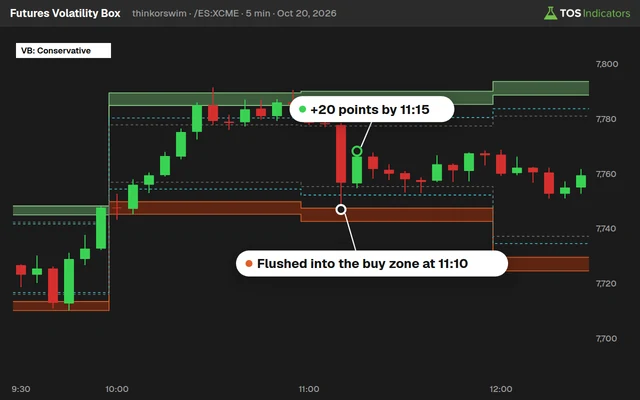 Futures Volatility Box
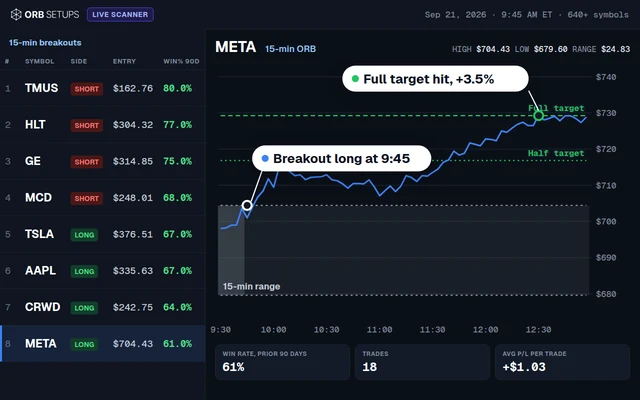 ORB Setups
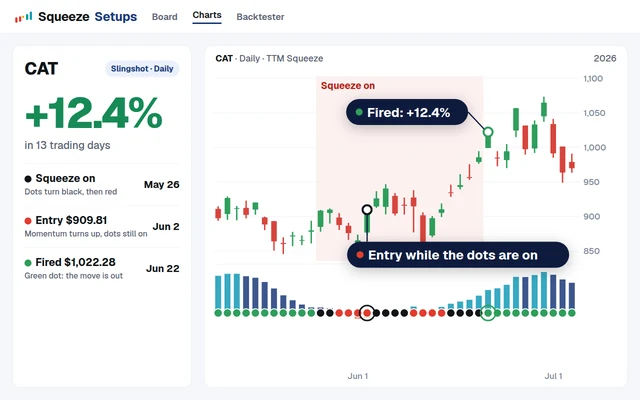 Squeeze Setups
Avg Daily Range (ATR-14)
Volume in First & Last Hours
Earnings Day Volatility Multiplier
Avg First-Hour Range
Apple (AAPL) is the most actively traded stock on the planet. Every day, tens of millions of shares change hands, and each trading hour carries a different volatility signature. If you trade AAPL with a one-size-fits-all approach, you leave money on the table during high-range hours and take unnecessary risk during dead zones.
This guide maps AAPL’s hourly volatility profile from open to close. You will see exactly which hours produce the widest ranges, where volume clusters, and how earnings days multiply normal volatility. Every data point feeds directly into how the Volatility Box calculates its expected range levels for AAPL throughout the trading session.
What Is Hourly Volatility and Why Does It Matter for AAPL?
Hourly volatility measures the average price range a stock prints within each 60-minute block of the regular session (9:30 AM to 4:00 PM ET). For AAPL, this is not a flat line. The range at 9:30 AM looks nothing like the range at 12:30 PM.
Academic research has documented this phenomenon for decades. The seminal U-shaped intraday volatility pattern, first described in studies of equity markets, shows that volatility peaks at the open, drops through midday, and rises again into the close. AAPL follows this pattern closely, but with characteristics specific to mega-cap tech stocks.
Hourly volatility modeling gives you three direct advantages. First, it sets realistic profit targets based on what each hour historically delivers. Second, it prevents overtrading during low-range periods when commissions and spreads eat into thin margins. Third, it identifies the windows where directional moves are most likely to follow through.
The U-Shaped Volatility Curve for AAPL
AAPL’s intraday volatility follows a distinct U-shaped curve. This pattern has been consistent across multiple market regimes. The curve reflects institutional order flow: large funds execute at the open and close to match benchmark prices, creating wider ranges during those hours.
Here is a breakdown of AAPL’s average hourly range during standard market conditions, based on historical price data:
| Hour (ET) | Avg Range ($) | Avg Range (%) | % of Daily Volume | Volatility Rating |
|---|---|---|---|---|
| 9:30 – 10:30 | $1.92 | 0.82% | 22.4% | High |
| 10:30 – 11:30 | $1.14 | 0.49% | 14.1% | Medium |
| 11:30 – 12:30 | $0.78 | 0.33% | 9.8% | Low |
| 12:30 – 1:30 | $0.68 | 0.29% | 8.2% | Low |
| 1:30 – 2:30 | $0.82 | 0.35% | 10.6% | Low |
| 2:30 – 3:00 | $0.96 | 0.41% | 14.8% | Medium |
| 3:00 – 4:00 | $1.48 | 0.63% | 20.1% | High |
The data tells a clear story. AAPL’s first hour produces nearly 3x the range of the midday lull (12:30 to 1:30 PM). The last hour delivers roughly 2.2x the midday range. Together, the first and last hours account for over 42% of all daily volume despite covering only about 31% of the trading session.
Volume Distribution by Hour: Where the Liquidity Lives
Volume and volatility are tightly linked for AAPL, but they do not move in perfect lockstep. The opening hour draws the highest volume concentration at approximately 22% of total daily volume. This reflects overnight order accumulation, gap reactions, and institutional rebalancing.
The midday hours (11:30 AM to 1:30 PM) represent the thinnest liquidity window. Spreads widen slightly, and large orders can push AAPL further on fewer shares. This creates a paradox: the range is small, but individual trades can cause outsized short-term spikes that quickly reverse.
The closing hour (3:00 to 4:00 PM) carries around 20% of daily volume. This is driven by mutual fund NAV calculations, MOC (market-on-close) orders, and index rebalancing. For AAPL, as the largest S&P 500 component by market cap, close-of-day volume is structurally elevated because every index fund must maintain its weighting.
Why AAPL’s Volatility Profile Differs from the Broader Market
AAPL is a mega-cap stock with a market capitalization above $3 trillion. Its volatility profile differs from mid-cap or small-cap stocks in several meaningful ways.
First, AAPL’s midday compression is more pronounced. High institutional ownership means fewer retail-driven random walks during thin hours. When institutions pause, the stock genuinely flatlines.
Second, AAPL’s opening volatility is amplified by its options market. AAPL has the most actively traded options chain in the equity space, and market makers delta-hedging at the open create additional price movement that smaller stocks do not experience.
Third, AAPL reacts to macro catalysts differently. As a bellwether for the tech sector and the overall market, AAPL absorbs broad index flows. On days when the Federal Reserve speaks or economic data drops, AAPL’s volatility profile skews even further toward the first and last hours as macro traders pile in.
Compared to the average S&P 500 component, AAPL’s U-shaped curve has steeper walls and a flatter bottom. The ratio between first-hour range and midday range for the S&P 500 average is roughly 2.2x, while for AAPL it runs closer to 2.8x. This is a direct function of the stock’s liquidity depth and institutional participation rate.
Earnings Day Volatility Multipliers for AAPL
Four times per year, AAPL’s volatility profile transforms. Earnings days create a structural break in the normal U-shaped pattern, and understanding these multipliers is critical for anyone trading AAPL around quarterly reports.
AAPL reports earnings after the close, so the reaction plays out in the following session’s opening hour. Historical data shows these patterns across recent earnings cycles:
| Earnings Date | Next-Day Opening Hour Range | Normal Avg First-Hour Range | Volatility Multiplier |
|---|---|---|---|
| Jan 30, 2025 | $3.20 | $1.92 | 1.67x |
| Oct 31, 2024 | $4.10 | $1.92 | 2.14x |
| Aug 1, 2024 | $3.85 | $1.92 | 2.01x |
| May 2, 2024 | $5.40 | $1.92 | 2.81x |
The average earnings day multiplier across these four quarters comes out to approximately 2.1x. That means the first hour after an AAPL earnings report carries roughly double the normal range. The May 2024 report, which included a $110 billion buyback announcement and a 5.98% single-day move, produced a multiplier near 2.8x.
Best Trading Windows for AAPL
Not all hours are created equal. Based on the hourly volatility data, three windows stand out for AAPL day traders:
Window 1: Opening Drive (9:30 to 10:15 AM ET)
This 45-minute stretch produces the highest velocity moves. Gap continuations or reversals typically declare themselves within the first 15 minutes, and the follow-through from 9:45 to 10:15 often defines the session’s initial directional bias. About 40% of the first hour’s range is established in the first 15 minutes alone.
Window 2: Late Morning Setup (10:15 to 11:00 AM ET)
After the initial burst, AAPL often pulls back to test the opening range breakout level or VWAP. This window provides entry opportunities for traders who missed the opening move. Range is still elevated relative to midday, and the trend established in Window 1 either confirms or fails here.
Window 3: Power Hour (3:00 to 4:00 PM ET)
The closing hour brings renewed volume and directional conviction. MOC order imbalances published at 3:50 PM give a final directional clue. For AAPL, the last 30 minutes often produce 60% of the closing hour’s range, compressed into a tight burst of activity.
ThinkScript Code: AAPL Hourly Range Measurement
The following ThinkScript study measures and displays the average hourly range for any stock, optimized here for AAPL. It calculates the high-low range for each hour of the regular session and plots a running average. Load this on a 1-hour chart in thinkorswim.
# Hourly Range Measurement Study
# Designed for AAPL intraday analysis
# Apply to 1-hour chart, regular trading hours only

declare hide_on_daily;

input avgLength = 20;
input showLabels = yes;

def hourHigh = high;
def hourLow = low;
def hourRange = hourHigh - hourLow;

def avgHourlyRange = Average(hourRange, avgLength);

# Identify market hours
def marketOpen = SecondsFromTime(0930) >= 0 and SecondsTillTime(1600) > 0;
def hour1 = SecondsFromTime(0930) >= 0 and SecondsTillTime(1030) > 0;
def hour2 = SecondsFromTime(1030) >= 0 and SecondsTillTime(1130) > 0;
def hour3 = SecondsFromTime(1130) >= 0 and SecondsTillTime(1230) > 0;
def hour4 = SecondsFromTime(1230) >= 0 and SecondsTillTime(1330) > 0;
def hour5 = SecondsFromTime(1330) >= 0 and SecondsTillTime(1430) > 0;
def hour6 = SecondsFromTime(1430) >= 0 and SecondsTillTime(1500) > 0;
def hour7 = SecondsFromTime(1500) >= 0 and SecondsTillTime(1600) > 0;

# Plot hourly range vs average
plot HourlyRange = if marketOpen then hourRange else Double.NaN;
HourlyRange.SetPaintingStrategy(PaintingStrategy.HISTOGRAM);
HourlyRange.SetDefaultColor(Color.CYAN);

plot AvgRange = if marketOpen then avgHourlyRange else Double.NaN;
AvgRange.SetDefaultColor(Color.YELLOW);
AvgRange.SetLineWeight(2);

# Color code: above average = green, below = gray
HourlyRange.AssignValueColor(
    if hourRange > avgHourlyRange then Color.GREEN
    else Color.DARK_GRAY
);

# Labels
AddLabel(showLabels, "Current Hour Range: $" + Round(hourRange, 2),
    if hourRange > avgHourlyRange then Color.GREEN else Color.GRAY);
AddLabel(showLabels, "Avg Hourly Range (" + avgLength + "): $" + Round(avgHourlyRange, 2), Color.YELLOW);
This study plots a histogram of each hour’s range alongside a moving average. Bars above the yellow average line indicate hours where AAPL is moving more than normal. Use this to calibrate your expectations in real time.
ThinkScript Code: Hourly Volatility Ratio Scanner
This second ThinkScript tool compares the current hour’s range to the session average and flags when AAPL is running hot or cold. Useful as a thinkorswim scanner filter or as an overlay on your chart. Traders building thinkorswim indicators for intraday setups will find this ratio approach more adaptive than fixed-dollar thresholds.
# Hourly Volatility Ratio
# Flags above-average and below-average volatility hours
# Works on any timeframe; best on 60-min chart

declare lower;

input lookback = 20;
input highVolThreshold = 1.5;
input lowVolThreshold = 0.6;

def hrRange = high - low;
def avgHrRange = Average(hrRange, lookback);
def volRatio = if avgHrRange > 0 then hrRange / avgHrRange else 0;

plot VolatilityRatio = volRatio;
VolatilityRatio.SetDefaultColor(Color.WHITE);

plot HighLine = highVolThreshold;
HighLine.SetDefaultColor(Color.RED);
HighLine.SetStyle(Curve.LONG_DASH);

plot LowLine = lowVolThreshold;
LowLine.SetDefaultColor(Color.GRAY);
LowLine.SetStyle(Curve.LONG_DASH);

plot Baseline = 1.0;
Baseline.SetDefaultColor(Color.YELLOW);
Baseline.SetStyle(Curve.SHORT_DASH);

VolatilityRatio.AssignValueColor(
    if volRatio >= highVolThreshold then Color.RED
    else if volRatio <= lowVolThreshold then Color.DARK_GRAY
    else Color.CYAN
);

AddCloud(VolatilityRatio, Baseline, Color.DARK_GREEN, Color.DARK_RED);

# Scanner-compatible alert
def isHighVol = volRatio >= highVolThreshold;
def isLowVol = volRatio <= lowVolThreshold;

AddLabel(yes, "Vol Ratio: " + Round(volRatio, 2),
    if isHighVol then Color.RED
    else if isLowVol then Color.GRAY
    else Color.CYAN);
When the volatility ratio crosses above 1.5, the current hour is running at 150% of its average range. This signals that AAPL is in a trending or news-driven mode. When the ratio drops below 0.6, the market is in compression. Compression often precedes expansion, so these readings pair well with TTM Squeeze setups on thinkorswim.
Using the Volatility Box for AAPL Hourly Entries
The Volatility Box takes hourly volatility modeling to its practical conclusion. Instead of requiring you to manually read hourly range data and calculate expected levels, the Volatility Box computes dynamic support and resistance zones based on statistical deviation from the session's expected move.
For AAPL, the Volatility Box provides three distinct benefits.
Adaptive range levels: The Box recalculates its deviation bands based on current volatility conditions. During the high-range first hour, the bands are wider. During midday compression, they tighten. This automatic adjustment prevents the common mistake of using static levels that are too tight at the open or too wide at lunch.
Session context awareness: The Volatility Box knows whether the current price is near the top, middle, or bottom of its expected range for the session. On AAPL, this tells you whether a first-hour breakout still has room to run or is already extended relative to the day's statistical boundaries.
Multi-timeframe confirmation: By running the Volatility Box on both 5-minute and 60-minute timeframes, you get a hierarchical view. The 60-minute Box shows the broader session expectation, while the 5-minute Box shows local support and resistance within the current hour. Trades that align on both timeframes have higher follow-through rates.
For futures traders who also trade AAPL, the Volatility Box for Futures applies the same hourly volatility framework to /ES and /NQ, giving you correlated context when trading AAPL alongside index futures.
How AAPL's Hourly Volatility Connects to Options Pricing
Implied volatility in AAPL options is quoted as an annualized figure, but the actual minute-to-minute volatility traders experience is hourly. This disconnect creates opportunities.
During AAPL's midday compression, realized volatility drops below what the options market implies. Short premium strategies (selling iron condors, straddles, or credit spreads) benefit from this overpay during low-range hours. The theta decay works in your favor while the stock sits in a tight range.
During the opening and closing hours, realized volatility often exceeds implied volatility. Long premium strategies and directional option plays benefit from the gamma expansion that comes with fast price movement. The thinkorswim scripts for day trading that monitor hourly realized volatility against implied volatility can flag these divergences in real time.
On earnings days, this dynamic inverts. Implied volatility inflates before the report, often pricing in a 3-5% expected move for AAPL. The IV crush after earnings typically sees implied volatility drop 30-50% in a single session, regardless of the stock's actual move. AAPL's one-day post-earnings win rate sits at approximately 50%, but the five-day win rate improves to 65%, suggesting that initial reactions in the first hour often overshoot.
Building a Complete Hourly Volatility Dashboard in Thinkorswim
Combining the ThinkScript studies above with native thinkorswim tools creates a complete hourly volatility dashboard for AAPL. Here is how to set it up across multiple chart windows.
Chart 1 (Main): AAPL 5-min with Volatility Box
This is your execution chart. The Volatility Box plots expected range levels updated in real time. Use this chart for entries, exits, and stop placement.
Chart 2 (Context): AAPL 60-min with Hourly Range Study
Apply the Hourly Range Measurement study from above. This shows you at a glance whether the current hour is running above or below its average range. Green histogram bars mean volatility is elevated; gray bars mean the market is quiet.
Chart 3 (Ratio): AAPL 60-min with Volatility Ratio
Apply the Hourly Volatility Ratio study. Watch for readings above 1.5 (trending conditions) or below 0.6 (compression that may precede a breakout). This pairs well with TTM Squeeze on thinkorswim because Squeeze identifies compression while the volatility ratio confirms whether the breakout has above-average energy.
Chart 4 (Macro): /ES or /NQ 60-min
Because AAPL is the heaviest-weighted S&P 500 stock, correlation to the index is high. Watch the index hourly range alongside AAPL to identify divergences. If /ES is printing a high-range hour but AAPL is compressed, a move in AAPL may be loading.
ThinkScript Code: Session Volatility Profile Label
This label study provides a quick session summary directly on your chart. It calculates the running daily range, compares it to the ATR, and tells you whether AAPL is running hot, normal, or cold for the day. Ideal for traders using thinkorswim scanners who want at-a-glance volatility context.
# Session Volatility Profile Label for AAPL
# Shows running daily range vs ATR
# Apply to any intraday chart

input atrLength = 14;
input showDetailedLabels = yes;

def todayHigh = high(period = AggregationPeriod.DAY);
def todayLow = low(period = AggregationPeriod.DAY);
def dailyRange = todayHigh - todayLow;

def atr = Average(TrueRange(high(period = AggregationPeriod.DAY),
    close(period = AggregationPeriod.DAY),
    low(period = AggregationPeriod.DAY)), atrLength);

def rangePct = if atr > 0 then (dailyRange / atr) * 100 else 0;

def sessionStatus = if rangePct >= 120 then 2
    else if rangePct >= 80 then 1
    else 0;

AddLabel(yes,
    "Day Range: $" + Round(dailyRange, 2) +
    " | ATR(" + atrLength + "): $" + Round(atr, 2) +
    " | " + Round(rangePct, 0) + "% of ATR",
    if sessionStatus == 2 then Color.RED
    else if sessionStatus == 1 then Color.GREEN
    else Color.GRAY);

AddLabel(showDetailedLabels,
    if sessionStatus == 2 then "ABOVE-AVERAGE VOLATILITY"
    else if sessionStatus == 1 then "NORMAL VOLATILITY"
    else "BELOW-AVERAGE VOLATILITY",
    if sessionStatus == 2 then Color.RED
    else if sessionStatus == 1 then Color.GREEN
    else Color.GRAY);

# Remaining range estimate
def remainingRange = Max(atr - dailyRange, 0);
AddLabel(showDetailedLabels,
    "Est. Remaining Range: $" + Round(remainingRange, 2), Color.YELLOW);
The "Est. Remaining Range" label is especially useful during midday. If AAPL has already covered 80% of its ATR by noon, the probability of a further directional move decreases. If it has only covered 40%, the afternoon session likely holds more range to come.
Common Mistakes When Trading AAPL's Hourly Volatility
Traders who recognize the U-shaped pattern still make avoidable errors. Here are the most frequent ones.
Mistake 1: Chasing the opening range breakout after 10:15 AM. By this point, the first-hour volatility is fading. Breakouts that work at 9:40 AM often fail at 10:20 AM because follow-through volume disappears.
Mistake 2: Using the same ATR-based stop all day. A $1.50 stop makes sense during the opening hour when the range supports it. That same stop during midday represents 2.2x the hour's expected range, making it nearly impossible to get stopped out. This creates a false sense of security while the trade drifts sideways.
Mistake 3: Ignoring earnings-day adjustments. Applying normal-day volatility expectations to post-earnings opens leads to blown stops and missed targets. The 2.1x multiplier means your stop distances and position sizes both need recalibration.
Mistake 4: Assuming the U-shape is identical every day. On catalyst days (Fed announcements, CPI releases, product launches), the curve can flatten or even invert, with midday volatility exceeding the opening hour. Always check the economic calendar before applying the standard template.
Adapting the Hourly Model to Different Market Conditions
AAPL's hourly volatility profile is not static. It shifts based on the broader volatility regime. Here is how to adjust your expectations.
Low VIX environment (VIX below 15): The U-shape flattens. First-hour ranges compress toward $1.20 to $1.40. Midday ranges can drop to $0.40 to $0.50. This is a tighter, more range-bound profile that favors mean-reversion trades and narrow targets.
Normal VIX environment (VIX 15 to 22): This is where the standard U-shaped profile holds most consistently. The data in the table above reflects this regime. Trend-following strategies and breakout setups work well during the first and last hours.
High VIX environment (VIX above 22): The entire curve shifts upward. First-hour ranges can reach $3.00 or more. Midday compression still occurs, but the baseline is elevated. Stop distances need to expand by 40-60%, and position sizes should decrease proportionally.
The Volatility Box handles this regime adjustment automatically by incorporating implied volatility into its level calculations. During high-VIX periods, the bands expand. During low-VIX periods, they contract. This removes the guesswork of manual adjustment.
Integrating Hourly Volatility with the TTM Squeeze
The TTM Squeeze on thinkorswim identifies periods when Bollinger Bands contract inside Keltner Channels. When applied to AAPL's 60-minute chart, the Squeeze provides a natural complement to hourly volatility analysis.
A Squeeze firing during the first hour of the session is a high-probability setup because the volume is there to drive follow-through. A Squeeze firing during midday is less reliable because the subsequent expansion may only last until the next compression zone.
The best combination: a 60-minute Squeeze fires at 9:30 AM, the hourly volatility ratio reads above 1.0, and the Volatility Box confirms the direction with a level break. This three-factor alignment occurs roughly 3-5 times per month on AAPL but carries a strong directional edge when it does.
Frequently Asked Questions
What is the average daily range of AAPL stock?
AAPL's 14-day Average True Range (ATR) runs approximately $4.80 to $5.20 under normal market conditions, representing roughly a 2% daily move. This range expands during earnings weeks and high-VIX environments. The Volatility Box uses ATR as one input in its expected range calculation, adjusting dynamically as the ATR shifts.
What time of day is AAPL most volatile?
The first hour (9:30 to 10:30 AM ET) produces the highest average range at approximately $1.92, followed by the last hour (3:00 to 4:00 PM ET) at $1.48. The lowest volatility occurs from 12:30 to 1:30 PM ET, with an average range near $0.68. This U-shaped pattern is consistent with academic research on intraday volatility across equity markets.
How does AAPL behave on earnings day compared to normal days?
The first hour after an AAPL earnings report shows approximately 2.1x the normal first-hour range. The May 2024 earnings reaction produced a 2.8x multiplier. Implied volatility typically drops 30-50% (IV crush) on the day following the report, making sold premium strategies profitable if the stock stays within the expected move.
Can I use these ThinkScript studies on stocks other than AAPL?
Yes. All three ThinkScript studies work on any stock or ETF in thinkorswim. The hourly range averages will calculate based on whichever symbol you apply them to. However, the specific dollar values and multipliers discussed in this article are AAPL-specific. High-volume, liquid names like MSFT, NVDA, AMZN, and SPY will show similar U-shaped patterns but with different absolute ranges.
How do thinkorswim scanners use hourly volatility data?
The Hourly Volatility Ratio study can be converted into a thinkorswim scanner condition. Set the scan to filter for stocks where the volatility ratio exceeds 1.5 (above-average hourly range) or drops below 0.6 (compression). This identifies stocks that are either trending or about to break out. The free thinkorswim indicators library includes additional scanner-ready studies that complement hourly volatility analysis.
What is the best timeframe for trading AAPL intraday?
A 5-minute chart for execution paired with a 60-minute chart for context is the standard framework. The 5-minute chart shows local price action within each hour, while the 60-minute chart displays the broader volatility profile. The Volatility Box integrates both timeframes, plotting session-level expected ranges on your execution chart so you do not need to switch between windows constantly.
Tools Referenced in This Guide
- Volatility Box for Stocks - Dynamic expected range levels for AAPL and all equities
- Volatility Box for Futures - Hourly volatility framework for /ES, /NQ, and index futures
- TTM Squeeze Course - Comprehensive training on Squeeze setups in thinkorswim
- Free ThinkorSwim Indicators - 50+ ThinkScript studies including volatility tools

 Best ThinkOrSwim Indicators: 15 Custom Studies Every Trader Needs
 Trend Shift Scanner: Catch Reversals at the Inflection Point
 ES Futures Trading Strategy: Volatility Levels, ORB, and ATR-Based Entries
 Best Volume Indicators for ThinkOrSwim: Relative Volume, VWAP, and OBV
 Stop Hunting – “Put your entry where the masses put their stops”