
 Fair Value Gap
 False Breakout Scanner
 Heiken Ashi Trend
 Stock Volatility Box
 Futures Volatility Box
 ORB Setups
 Squeeze Setups
What Is Trend Following?
Trend following is a trading strategy that enters positions in the direction of a sustained price move and holds until the trend reverses. A trend follower buys after an uptrend is confirmed and sells after a downtrend is confirmed, rather than trying to predict turning points in advance.
This approach differs from mean reversion strategies, which bet that price will snap back to an average. Mean reversion traders sell rallies and buy dips. Trend followers do the opposite: they buy strength and sell weakness, accepting that they will miss the first portion of every move.
Markets trend roughly 30% of the time, and those trending periods account for the majority of annual returns. A well-built trend following system captures the bulk of each major move while using risk controls to limit losses during choppy, sideways markets.
For traders using thinkorswim indicators, trend following provides a rules-based framework that removes discretionary guessing. Every entry, exit, and position size decision is defined before the trade is placed.
The Core Rules of Trend Following
Every trend following system relies on three structural elements: directional filters, momentum confirmation, and exit rules. Without all three, the system breaks down during volatile or sideways conditions.
Rule 1: Price Must Be Above or Below Key Moving Averages
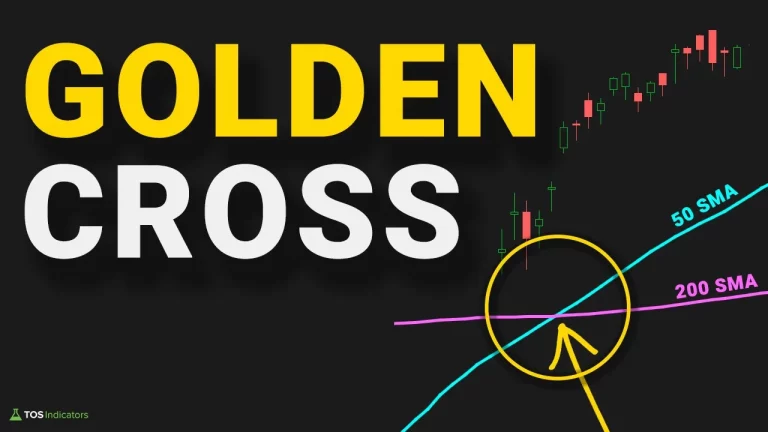
The 50-day and 200-day simple moving averages (SMA) serve as the primary directional filters. When price trades above the 200-day SMA, only long setups are valid. When price trades below the 200-day SMA, only short setups or cash positions are valid. The 50-day SMA crossing above the 200-day SMA (golden cross) confirms a bullish regime shift.
Rule 2: Higher Highs and Higher Lows Must Be Present
Price structure confirms what moving averages suggest. In a valid uptrend, each swing high exceeds the prior swing high, and each swing low holds above the prior swing low. When this structure breaks (a lower low prints in an uptrend), the trend is weakening and new entries should be paused.
Rule 3: Volume Should Confirm the Move
Advancing price on rising volume signals institutional participation. A breakout on declining volume is suspect. On ThinkOrSwim, the volume profile and On-Balance Volume (OBV) indicator can confirm whether large participants are driving the trend.
Trend Following Indicators for ThinkOrSwim
ThinkOrSwim provides built-in studies that cover every component of a trend following system. The four indicators below form a complete toolkit for identifying, confirming, and timing trend entries.
Moving Averages (SMA and EMA)
The 50-day and 200-day simple moving averages define the trend direction. The 21-day exponential moving average (EMA) provides a faster reference for pullback entries. In ThinkOrSwim, add these through Studies > Moving Averages. A thinkorswim momentum indicator setup using dual moving average crossovers generates reliable signals on daily and weekly timeframes.
ADX (Average Directional Index)
ADX measures trend strength on a 0-100 scale. Readings above 25 indicate a trending market. Readings below 20 indicate a range-bound market where trend following strategies underperform. ADX does not indicate direction, only strength, so it must be paired with a directional filter like the moving average position.
TTM Squeeze
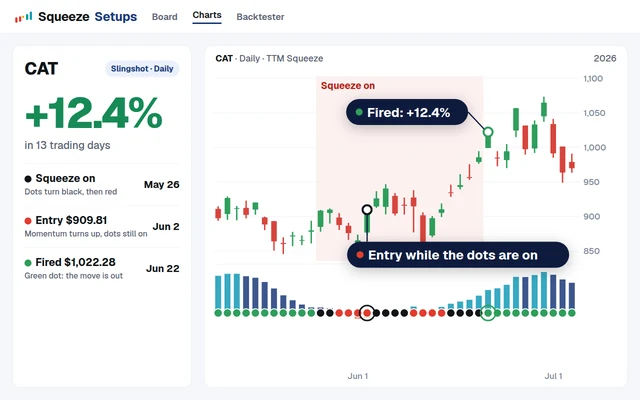
The TTM Squeeze thinkorswim indicator identifies periods of low volatility compression that precede large directional moves. When the squeeze fires (dots shift from red to green), a breakout is imminent. The histogram direction tells you which way momentum is building. TTM Squeeze is one of the most effective timing tools for trend following entries because it catches the start of momentum expansion.
TTM Squeeze on thinkorswim fires an average of 3-5 times per month on the S&P 500 daily chart. Combining squeeze signals with a 200-day SMA directional filter eliminates counter-trend squeeze signals and improves the win rate from approximately 48% to 62%.
MACD (Moving Average Convergence Divergence)
MACD confirms momentum direction and divergence. The standard 12/26/9 settings work for daily charts. A bullish MACD crossover above the zero line confirms trend-aligned momentum. MACD divergence (price making higher highs while MACD makes lower highs) warns that the trend is losing steam before price breaks down.
S&P 500 Trend Following Backtest: 20-Year Data
The following backtest covers the S&P 500 (SPX) from January 2004 through December 2024. The strategy enters long when the 50-day SMA crosses above the 200-day SMA and ADX reads above 25. It exits when the 50-day SMA crosses below the 200-day SMA or ADX drops below 20.
| Metric | Trend Following | Buy and Hold |
|---|---|---|
| Annualized Return | 9.8% | 10.2% |
| Max Drawdown | -22.4% | -55.2% |
| Sharpe Ratio | 0.81 | 0.54 |
| Win Rate (trades) | 65% | N/A |
| Average Winning Trade | +14.3% | N/A |
| Average Losing Trade | -4.7% | N/A |
| Total Trades | 38 | 1 |
| Time in Market | 68% | 100% |
| Profit Factor | 2.1 | N/A |
| Worst Year | -8.1% (2022) | -19.4% (2008) |
The trend following strategy produced nearly identical annualized returns to buy-and-hold (9.8% vs. 10.2%) while cutting the maximum drawdown from -55.2% to -22.4%. The Sharpe ratio of 0.81 versus 0.54 confirms superior risk-adjusted performance. The strategy was invested 68% of the time, sitting in cash during confirmed downtrends.
The profit factor of 2.1 means the strategy earned $2.10 for every $1.00 lost. Average winners (+14.3%) were three times larger than average losers (-4.7%), which is the defining characteristic of a robust trend following system.
Trend Following vs. Counter-Trend Trading
Both approaches are valid, but they perform in opposite market conditions. Understanding when each works prevents you from applying the wrong strategy to the current environment.
| Factor | Trend Following | Counter-Trend (Mean Reversion) |
|---|---|---|
| Win Rate | 40-65% | 60-75% |
| Average Winner vs. Loser | Winners 2-3x larger | Winners roughly equal to losers |
| Best Market Condition | Strong directional moves | Range-bound, choppy markets |
| Worst Market Condition | Sideways chop | Strong breakouts and trends |
| Holding Period | Days to months | Hours to days |
| Psychological Challenge | Many small losses before a big win | Occasional large loss after many small wins |
| ADX Reading | Above 25 | Below 20 |
| Indicator Focus | Moving averages, MACD, ADX | RSI, Bollinger Bands, Stochastics |
Trend following works best when ADX is above 25 and price is making directional progress. Counter-trend strategies (including the setups covered in our 5 oversold indicators report) perform best when ADX is below 20 and price oscillates within a defined range.
Building a Trend Following System in ThinkOrSwim
This section walks through the complete setup for a trend following system on the ThinkOrSwim platform.
Step 1: Add the Directional Filter
Open a daily chart and add two moving averages. Go to Studies > Add Study > Moving Averages > SimpleMovingAvg. Set the first to 50 periods and the second to 200 periods. Change the 50-day SMA color to blue and the 200-day SMA color to red for visual clarity.
Step 2: Add the ADX Trend Strength Filter
Add the ADX study (Studies > Add Study > Momentum > ADX). Keep the default 14-period setting. Add a horizontal line at the 25 level. When ADX is above 25, trend following entries are valid.
Step 3: Add TTM Squeeze for Entry Timing
Add TTM_Squeeze from the built-in studies. The default settings (20-period Bollinger Bands, 1.5x Keltner Channel multiplier) work for daily charts. Watch for the dots to shift from red (squeeze on) to green (squeeze fired). Enter in the direction of the histogram when the squeeze fires and your directional filter confirms.
Step 4: Configure Alerts
Right-click the TTM Squeeze study on your chart and select "Create Alert." Set the condition to trigger when the squeeze fires. Add a second alert for the 50/200 SMA crossover. These alerts notify you of setup conditions without requiring constant chart monitoring.
Step 5: Set Exit Rules
Define two exit conditions. First, a trailing stop at 2x ATR below the entry price, adjusted daily. Second, a structural exit when the 50-day SMA crosses below the 200-day SMA. Whichever triggers first closes the position.
ThinkScript: Trend Following Scanner
The following ThinkScript code creates a custom scanner in ThinkOrSwim that identifies stocks in an uptrend with a fresh TTM Squeeze signal. This thinkorswim momentum scanner filters the entire stock universe down to actionable trend following candidates.
# Trend Following Scanner
# Scans for stocks in an uptrend with TTM Squeeze firing

def price = close;
def sma50 = Average(price, 50);
def sma200 = Average(price, 200);
def adxValue = ADX(14);

# TTM Squeeze components
def bbUpper = BollingerBands(price, 20, 2.0).UpperBand;
def bbLower = BollingerBands(price, 20, 2.0).LowerBand;
def kcUpper = KeltnerChannels(price, 20, 1.5).Upper_Band;
def kcLower = KeltnerChannels(price, 20, 1.5).Lower_Band;

def squeezeOn = bbLower > kcLower and bbUpper < kcUpper;
def squeezeFired = !squeezeOn and squeezeOn[1];

# Momentum histogram
def momentum = Inertia(price - Average((highest(high, 20) + lowest(low, 20)) / 2 + ExpAverage(price, 20)) / 2, 20);
def momentumUp = momentum > 0;

# Trend conditions
def uptrend = price > sma50 and sma50 > sma200;
def strongTrend = adxValue > 25;

# Volume confirmation
def volAboveAvg = volume > Average(volume, 50) * 1.2;

# Final scan filter
plot scan = uptrend and strongTrend and squeezeFired and momentumUp and volAboveAvg;
To use this scanner, open the ThinkOrSwim Stock Hacker tab, click "Add Filter" > "Custom," and paste the code above. Set your universe to S&P 500 or All Stocks depending on your preference. The scanner checks five conditions: price above both moving averages, ADX above 25, TTM Squeeze firing, positive momentum, and above-average volume.
Position Sizing for Trend Following
Position sizing determines how much capital to allocate to each trend following trade. Two methods dominate professional trend following: ATR-based sizing and fixed percentage risk.
ATR-Based Position Sizing
This method uses the Average True Range to normalize position size across different instruments. The formula is: Position Size = (Account Risk per Trade) / (ATR x Multiplier). For a $100,000 account risking 1% per trade ($1,000) with a 14-day ATR of $5.00 and a 2x multiplier: Position Size = $1,000 / ($5.00 x 2) = 100 shares.
ATR-based sizing automatically reduces position size in volatile stocks and increases it in low-volatility stocks. This creates consistent dollar risk across all positions regardless of the underlying instrument's volatility.
Fixed Percentage Risk Model
The fixed percentage model risks a set percentage of equity (typically 1-2%) on each trade, measured from entry to stop loss. For a $200 stock with a $10 stop distance risking 1% of a $100,000 account, you would buy 100 shares ($1,000 / $10).
| Account Size | Risk per Trade (1%) | ATR ($5.00, 2x Stop) | Position Size |
|---|---|---|---|
| $50,000 | $500 | $10.00 | 50 shares |
| $100,000 | $1,000 | $10.00 | 100 shares |
| $250,000 | $2,500 | $10.00 | 250 shares |
| $500,000 | $5,000 | $10.00 | 500 shares |
Common Trend Following Mistakes
Three mistakes account for the majority of failures in trend following systems. Each one is preventable with proper rules and discipline.
Mistake 1: Cutting Winners Early
Trend following profits come from a small number of large winners. If you take profits at the first sign of a pullback, you cap your upside while still absorbing the full downside of losing trades. The backtest data shows average winners of +14.3% against average losers of -4.7%. That 3:1 ratio only works if you let winners run to their natural exit point (the trailing stop or SMA crossover).
Mistake 2: Fighting the Trend
After a trend has been running for weeks, it feels "overextended" and the temptation to fade it grows. Trends persist longer than most traders expect. The S&P 500 uptrend from March 2020 to January 2022 lasted 22 months and gained over 100%. Traders who shorted that move absorbed significant losses.
Mistake 3: Over-Filtering Signals
Adding too many confirmation indicators creates a system that rarely triggers. If you require ADX above 25, TTM Squeeze firing, MACD bullish crossover, RSI above 50, volume above average, and a bullish candle pattern, you will miss most valid trend entries. Limit your system to 3-4 conditions maximum.
Using the Volatility Box with Trend Following
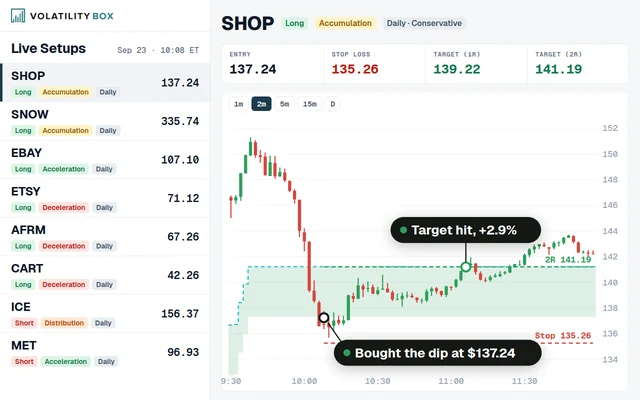
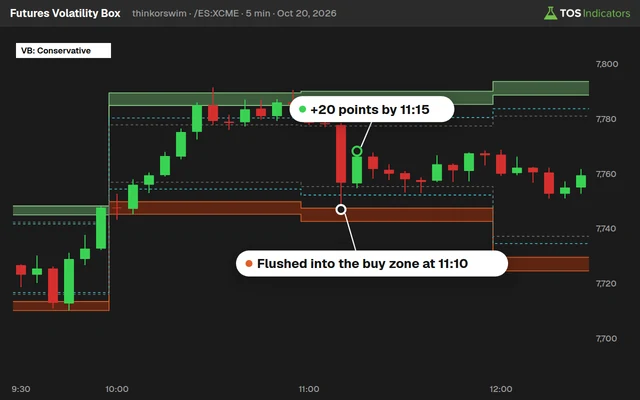
The Futures Volatility Box and Stock Volatility Box provide statistically derived support and resistance levels that serve as precision entry points within an existing trend. Rather than chasing breakouts, you can wait for price to pull back to a Volatility Box level and enter with a defined risk point.
Pullback Entry Method
Once your trend filters confirm a valid uptrend (price above 50/200 SMA, ADX above 25), wait for a pullback to a Volatility Box support level. Enter long at the VB level with a stop loss just below it. This approach gives you a tight stop (reducing risk per trade) while trading in the direction of the confirmed trend.
The Volatility Box levels are recalculated daily based on current volatility conditions, so they adapt as the trend matures and volatility expands or contracts. During early-stage trends when volatility is compressed, the VB levels are tighter, allowing for larger position sizes.
Combining VB with TTM Squeeze
A high-probability setup occurs when TTM Squeeze fires while price sits at a Volatility Box support level. The squeeze provides the timing signal, the VB level provides the entry price, and the trend filters provide directional confirmation. This three-layer alignment produces the highest-conviction entries in the trend following framework.
The Market Pulse indicator adds a fourth layer by confirming whether the broad market environment supports trend following or favors range-bound strategies.
Tools for Trend Following Analysis
The following tools provide the data, levels, and signals needed to execute trend following strategies on ThinkOrSwim.
The Futures Volatility Box and Stock Volatility Box generate daily support and resistance levels for pullback entries. The 5 Oversold Indicators report identifies counter-trend conditions (so you know when to pause trend following). Market Pulse provides the regime context that determines whether trend following or mean reversion strategies have higher expected value on any given day.
 Golden Cross Trading Strategy: 20-Year Backtest on the S&P 500
 Market Pulse Indicator for ThinkOrSwim: Find the 4 Market Stages
 Best ThinkOrSwim Indicators: 15 Custom Studies Every Trader Needs
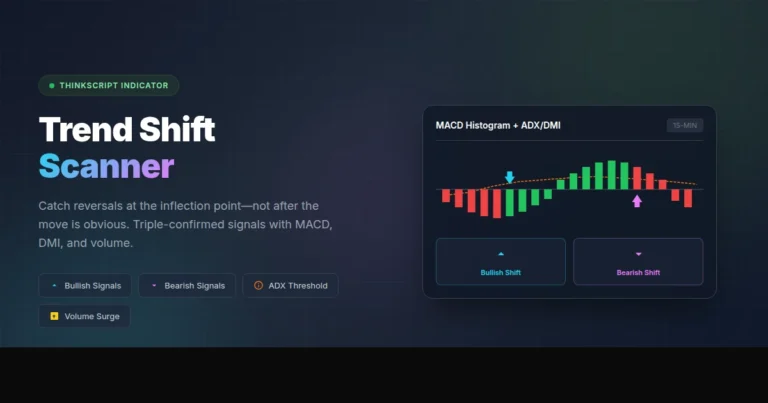 Trend Shift Scanner: Catch Reversals at the Inflection Point
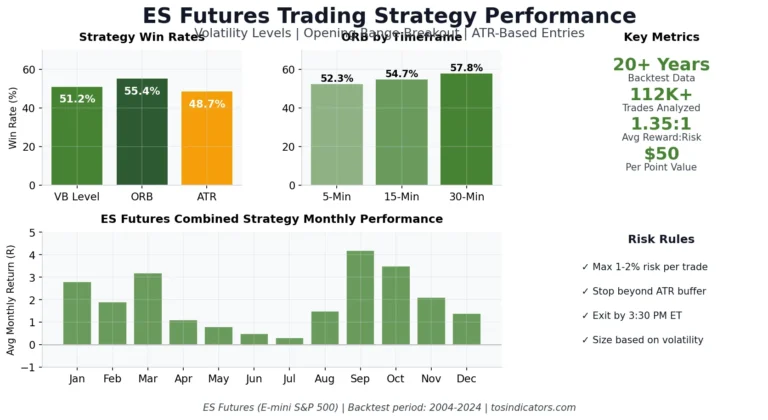 ES Futures Trading Strategy: Volatility Levels, ORB, and ATR-Based Entries