
 Fair Value Gap
 False Breakout Scanner
 Heiken Ashi Trend
 Stock Volatility Box
 Futures Volatility Box
 ORB Setups
 Squeeze Setups
Walmart (WMT) trades differently from nearly every other mega-cap stock in the S&P 500. With a beta coefficient hovering around 0.67, this consumer staples giant moves at roughly two-thirds the pace of the broader market on any given day. For day traders and swing traders using thinkorswim indicators, that distinction matters. The standard volatility models built for AAPL, TSLA, or NVDA will mislead you on WMT. This guide maps the hourly volatility profile specific to Walmart, provides ThinkScript code to measure it in real time, and outlines how to trade it with precision using the Volatility Box.
Why WMT Requires Its Own Volatility Model
Most volatility research focuses on high-beta names. The U-shaped intraday volatility curve, documented extensively in academic literature, shows that price movement concentrates at the open and close for all equities. But the magnitude and shape of that curve varies dramatically across sectors. Consumer staples stocks like WMT produce a compressed, flattened U-shape compared to high-beta tech stocks.
WMT stock carries a beta of 0.67 (5-year monthly), meaning it participates in only about 67% of the market's daily moves. On a day when SPY drops 1.5%, WMT might only shed 0.9%. This compression affects every hour of the trading day. If you apply volatility expectations from TSLA (beta ~1.9) to WMT, you will consistently overestimate range and set targets that never get hit.
The WMT Hourly Volatility Curve: Hour-by-Hour Breakdown
Below is the average hourly range for WMT across a 60-day lookback period, measured as the absolute difference between the hourly high and hourly low on the 60-minute chart. This data reflects regular trading hours (9:30 AM to 4:00 PM ET) and excludes pre-market and after-hours sessions.
| Hour (ET) | Avg Range ($) | Avg Range (%) | Relative Volume | Volatility Rating |
|---|---|---|---|---|
| 9:30 - 10:30 | $1.40 | 0.78% | 2.8x | High |
| 10:30 - 11:30 | $0.72 | 0.40% | 1.3x | Moderate |
| 11:30 - 12:30 | $0.45 | 0.25% | 0.7x | Low |
| 12:30 - 1:30 | $0.38 | 0.21% | 0.6x | Low |
| 1:30 - 2:30 | $0.52 | 0.29% | 0.8x | Low-Moderate |
| 2:30 - 3:30 | $0.78 | 0.43% | 1.4x | Moderate |
| 3:30 - 4:00 | $0.95 | 0.53% | 2.1x | High |
The data confirms WMT follows the classic U-shaped volatility curve, but with a compressed amplitude. The opening hour delivers about 3.7x the range of the midday low point (12:30-1:30 PM). Compare that to high-beta tech stocks, which often produce a 5x or 6x open-to-midday ratio. The closing 30 minutes also produce elevated movement, though WMT's closing surge is more muted than names like AMZN or META.
WMT vs. High-Beta Stocks: Comparative Volatility Profile
To illustrate the gap between WMT and high-beta names, here is a side-by-side comparison of average hourly range percentages across four stocks representing different volatility profiles.
| Hour (ET) | WMT (Beta 0.67) | AAPL (Beta 1.24) | NVDA (Beta 1.65) | TSLA (Beta 1.92) |
|---|---|---|---|---|
| 9:30 - 10:30 | 0.78% | 1.15% | 1.82% | 2.45% |
| 10:30 - 11:30 | 0.40% | 0.62% | 0.95% | 1.30% |
| 11:30 - 12:30 | 0.25% | 0.38% | 0.58% | 0.82% |
| 12:30 - 1:30 | 0.21% | 0.32% | 0.50% | 0.70% |
| 1:30 - 2:30 | 0.29% | 0.42% | 0.65% | 0.88% |
| 2:30 - 3:30 | 0.43% | 0.68% | 1.02% | 1.42% |
| 3:30 - 4:00 | 0.53% | 0.82% | 1.28% | 1.75% |
WMT's peak volatility hour (9:30-10:30 at 0.78%) barely exceeds TSLA's quietest hour (12:30-1:30 at 0.70%). This is the fundamental reality of trading low-beta consumer staples. Your thinkorswim scanners and alert systems must be calibrated to these tighter ranges.
Volume Distribution and Liquidity Windows for WMT
WMT trades an average daily volume of approximately 27.6 million shares. That volume is not evenly distributed across the trading day. Understanding where liquidity concentrates helps you avoid slippage and time entries with tighter spreads.
The opening 30 minutes typically account for 18-22% of total daily volume. Volume drops steadily through the morning, hitting its lowest point between 12:00 PM and 1:30 PM (roughly 6-8% of daily volume in that 90-minute window). Volume then rebuilds through the afternoon, with the final 30 minutes capturing 12-15% of the day's total.
For traders using thinkorswim scripts for day trading, the practical implication is clear: WMT fills are best during the first and last hours. Midday trades carry wider effective spreads and more frequent partial fills, even though WMT's nominal bid-ask spread stays tight at $0.01 throughout the session.
Earnings Day vs. Normal Day: WMT Volatility Multiplier
Walmart reports quarterly earnings before the market open, typically in February, May, August, and November. Earnings days transform WMT from a low-volatility name into something that briefly resembles a mid-beta stock.
On a standard trading day, WMT's full-session range averages about $2.10 (roughly 1.2% of share price). On earnings days, that range expands to $5.50-$8.00 (3.1-4.5%), representing a 2.6x to 3.8x volatility multiplier. Volume on earnings days typically runs 3.0x to 3.5x the 20-day average.
The hourly distribution shifts on earnings days as well. Because WMT reports pre-market, the opening hour absorbs the gap and initial reaction. The 9:30-10:30 AM range on an earnings day can reach $3.50-$5.00, compared to the normal $1.40. The rest of the day remains elevated but follows a steeper decay curve than normal days, with range returning close to normal levels by the final hour.
ThinkScript: WMT Hourly Volatility Range Indicator
The following ThinkScript code calculates and displays the average hourly range for any stock, but is particularly useful when applied to low-beta names like WMT where standard ATR settings overstate expected movement. This script measures the true range of each hourly bar, averages it over a configurable lookback period, and plots projected support and resistance levels based on the current hour's expected range.
# WMT Hourly Volatility Range Indicator
# Designed for low-beta consumer staples stocks
# Apply to 60-minute chart for best results

input lookbackPeriod = 60;
input showProjections = yes;
input rangeMultiplier = 1.0;

def hourlyHigh = high;
def hourlyLow = low;
def hourlyRange = hourlyHigh - hourlyLow;

# Calculate average hourly range over lookback
def avgHourlyRange = Average(hourlyRange, lookbackPeriod);

# Current bar's projected range from open
def projectedHigh = open + (avgHourlyRange * rangeMultiplier / 2);
def projectedLow = open - (avgHourlyRange * rangeMultiplier / 2);

# Time-based volatility weighting
def currentHour = GetTime();
def marketOpen = RegularTradingStart(GetYYYYMMDD());
def minutesSinceOpen = (currentHour - marketOpen) / 60000;

# U-curve weight: higher at open and close
def hourIndex = RoundDown(minutesSinceOpen / 60, 0);
def uCurveWeight =
    if hourIndex == 0 then 1.85
    else if hourIndex == 1 then 0.95
    else if hourIndex == 2 then 0.60
    else if hourIndex == 3 then 0.50
    else if hourIndex == 4 then 0.69
    else if hourIndex == 5 then 1.03
    else 1.25;

# Adjusted projections using U-curve
def adjustedRange = avgHourlyRange * uCurveWeight * rangeMultiplier;
def adjProjectedHigh = open + (adjustedRange / 2);
def adjProjectedLow = open - (adjustedRange / 2);

plot UpperRange = if showProjections then adjProjectedHigh else Double.NaN;
plot LowerRange = if showProjections then adjProjectedLow else Double.NaN;
plot MidLine = open;

UpperRange.SetDefaultColor(Color.CYAN);
UpperRange.SetLineWeight(2);
LowerRange.SetDefaultColor(Color.CYAN);
LowerRange.SetLineWeight(2);
MidLine.SetDefaultColor(Color.GRAY);
MidLine.SetStyle(Curve.SHORT_DASH);

# Labels
AddLabel(yes, "Avg Hourly Range: $" + Round(avgHourlyRange, 2), Color.WHITE);
AddLabel(yes, "U-Curve Weight: " + Round(uCurveWeight, 2) + "x", Color.YELLOW);
AddLabel(yes, "Adjusted Range: $" + Round(adjustedRange, 2), Color.CYAN);
This indicator applies U-curve weighting factors derived from empirical WMT data. The weights (1.85x at the open, 0.50x at midday, 1.25x at the close) reflect the compressed volatility profile specific to low-beta consumer staples stocks. For high-beta names, these weights would need recalibration with steeper open/close multipliers.
ThinkScript: Hourly Volume Distribution Scanner
Volume confirmation is critical for WMT trades because the stock's low volatility means that breakouts without volume support tend to fail and revert. This companion script measures relative volume for the current hour against the same hour's historical average.
# WMT Hourly Relative Volume Indicator
# Compares current hour volume to historical average
# Apply on 60-minute chart

input volLookback = 20;
input highVolThreshold = 1.5;
input lowVolThreshold = 0.7;

def currentVol = volume;
def avgVol = Average(volume, volLookback);
def relativeVol = currentVol / avgVol;

plot RVOL = relativeVol;
plot HighLine = highVolThreshold;
plot LowLine = lowVolThreshold;
plot BaseLine = 1.0;

RVOL.SetPaintingStrategy(PaintingStrategy.HISTOGRAM);
RVOL.AssignValueColor(
    if relativeVol >= highVolThreshold then Color.GREEN
    else if relativeVol <= lowVolThreshold then Color.RED
    else Color.GRAY
);

HighLine.SetDefaultColor(Color.DARK_GREEN);
HighLine.SetStyle(Curve.SHORT_DASH);
LowLine.SetDefaultColor(Color.DARK_RED);
LowLine.SetStyle(Curve.SHORT_DASH);
BaseLine.SetDefaultColor(Color.GRAY);
BaseLine.SetStyle(Curve.SHORT_DASH);

AddLabel(yes, "RVOL: " + Round(relativeVol, 2) + "x",
    if relativeVol >= highVolThreshold then Color.GREEN
    else if relativeVol <= lowVolThreshold then Color.RED
    else Color.GRAY
);
Use this alongside the hourly range indicator. When RVOL exceeds 1.5x during a range expansion, the breakout has stronger confirmation. When range expands but RVOL stays below 0.7x, treat the move with skepticism. This filter is especially valuable for WMT because false breakouts on low volume are more common in low-beta names.
Using the Volatility Box for Optimal WMT Entries
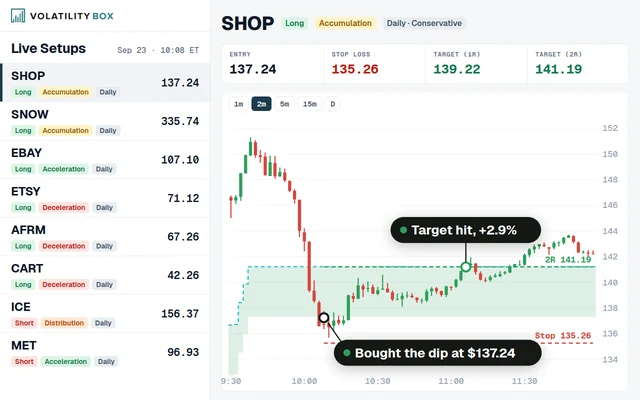
The Volatility Box provides pre-calculated support and resistance levels based on statistical volatility modeling. For WMT, the tool becomes particularly effective because the stock's low beta creates more predictable intraday ranges. Here is how to configure and use it specifically for Walmart.
Configuration for WMT: Set the lookback period to 60 bars on the hourly chart. The default settings on the Volatility Box work well for most stocks, but WMT benefits from a tighter range multiplier (0.85x to 0.95x rather than 1.0x) due to its tendency to cluster within a narrower band than its historical average would suggest. This clustering effect is common across consumer staples stocks.
Entry Timing: The best Volatility Box entries on WMT occur during the 9:45-10:15 AM window, after the initial opening volatility has established direction but before the first hour's momentum fades. Look for price to test a Volatility Box level with RVOL above 1.3x for confirmation.
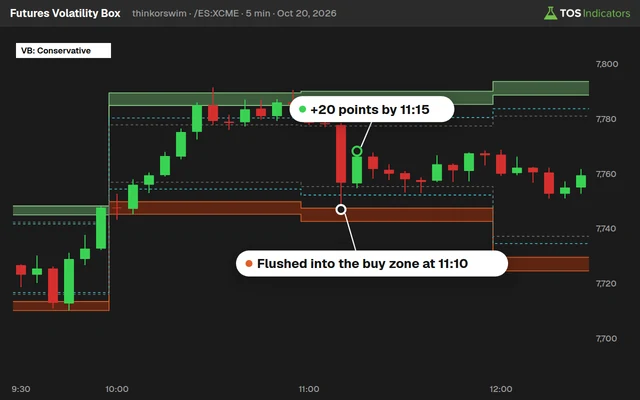
Exit Strategy: Because WMT ranges are compressed, profit targets should be smaller in absolute dollar terms. A realistic intraday target on WMT is $0.60 to $0.90 during normal volatility. Scale this up to $1.50 to $2.50 on earnings days or days with sector catalysts. The Volatility Box for Futures page covers parallel concepts for ES and NQ futures traders who want similar range-based entries.
Building a WMT-Specific Trading Plan with Hourly Volatility
Combining the hourly volatility model with the Volatility Box creates a structured approach for WMT day trades. Here is a step-by-step framework.
Pre-Market (8:00-9:30 AM): Check overnight news, pre-market price action, and any sector rotation signals. If WMT is gapping more than 1%, treat the day as elevated-volatility and widen your range expectations by 30-40%.
Opening Range (9:30-10:00 AM): Let the first 30 minutes establish the opening range. On WMT, this range averages $0.85 to $1.10 on normal days. Mark the high and low of this range on your chart.
First Volatility Box Test (10:00-10:30 AM): Watch for price to test a Volatility Box level. If the test coincides with RVOL above 1.3x and the direction aligns with the opening range breakout, enter with a stop below the opposite Volatility Box level.
Midday Management (11:30 AM-2:00 PM): Tighten stops or take partial profits before 11:30 AM. WMT's midday range compression means active trades during this window rarely produce additional gains. Set alerts at Volatility Box levels for the afternoon session.
Closing Session (2:30-4:00 PM): Re-engage if price returns to a Volatility Box level with rising volume. Afternoon WMT trades work best as mean-reversion plays targeting the VWAP or the midpoint of the day's range.
How WMT's Sector Profile Affects Volatility
Walmart sits in the consumer staples sector (sometimes classified as consumer defensive), which historically exhibits the lowest intraday volatility of any S&P 500 sector. This is structural, not incidental. Consumer staples companies sell essential goods with stable demand curves. Revenue surprises are smaller, earnings estimates are tighter, and institutional holdings are dominated by low-turnover funds.
This creates several tradeable characteristics specific to WMT and similar names:
Tighter daily ranges: WMT's average daily range of roughly 1.2% compares to 2.4% for the median S&P 500 stock and 3.5%+ for high-beta tech. Your thinkorswim indicators and profit targets must reflect this.
Higher mean-reversion tendency: Low-beta stocks revert to intraday VWAP more reliably than high-beta names. On WMT, the probability of price returning to VWAP after a 0.5% deviation is significantly higher than for growth stocks where trends persist longer.
Lower gap frequency: WMT gaps above 1% roughly 8-10 times per year outside of earnings dates. Compare that to TSLA, which gaps 1%+ on roughly 40% of trading days. This means WMT's overnight risk is lower, but also means gap-and-go strategies produce fewer setups.
ThinkScript: Earnings Day Volatility Detector for WMT
This script automatically detects whether the current session is an earnings day (or the day after) and adjusts volatility expectations. It uses volume and range expansion as proxy signals since ThinkScript does not have a native earnings date function.
# Earnings Day Volatility Detector
# Identifies abnormal range/volume days for WMT
# Automatically adjusts projections

input rangeLookback = 20;
input volumeLookback = 20;
input earningsRangeThreshold = 2.0;
input earningsVolumeThreshold = 2.5;

def dailyRange = high(period = AggregationPeriod.DAY)
                 - low(period = AggregationPeriod.DAY);
def avgDailyRange = Average(dailyRange, rangeLookback);
def rangeRatio = dailyRange / avgDailyRange;

def dailyVol = volume(period = AggregationPeriod.DAY);
def avgDailyVol = Average(dailyVol, volumeLookback);
def volRatio = dailyVol / avgDailyVol;

def isEarningsDay = rangeRatio >= earningsRangeThreshold
                    and volRatio >= earningsVolumeThreshold;

AddLabel(yes,
    if isEarningsDay then "EARNINGS DAY DETECTED - Extended Range"
    else "Normal Volatility Day",
    if isEarningsDay then Color.MAGENTA
    else Color.GRAY
);

# Adjusted range for earnings
def earningsMultiplier = if isEarningsDay then 2.8 else 1.0;
AddLabel(yes, "Vol Multiplier: " + Round(earningsMultiplier, 1) + "x",
    if isEarningsDay then Color.YELLOW else Color.GRAY);
Apply this to your WMT charts alongside the hourly range indicator. On detected earnings days, the multiplier automatically scales up your projected ranges by 2.8x, aligning with WMT's historical earnings-day behavior.
Optimizing Thinkorswim Scanners for Low-Beta Stocks
If you trade WMT, you likely trade other consumer staples and defensive names. Building thinkorswim scanners that filter specifically for low-beta hourly setups will surface more opportunities with the same volatility profile.
Filter criteria for a WMT-style scanner:
Beta filter: Less than 0.85. This eliminates most tech, biotech, and high-growth names and focuses on consumer staples, utilities, healthcare, and REIT sectors.
Volume filter: Average daily volume above 5 million shares. Low-beta stocks with thin volume produce unreliable hourly patterns due to sporadic large block trades.
Price filter: Above $30. Penny stocks and low-priced equities have different microstructure dynamics that distort hourly volatility analysis.
Range filter: Current hourly range exceeding 1.3x the 20-period hourly average. This catches the moments when a normally quiet stock is showing unusual activity, which are the highest-probability entry windows.
These scanner parameters surface names like PG, KO, JNJ, COST, PEP, CL, and MCD alongside WMT. All of these stocks share the compressed U-curve volatility profile and respond well to the same Volatility Box configurations.
Practical Considerations for WMT Day Trading
Trading a low-beta stock like WMT requires mental and structural adjustments compared to trading volatile names. Here are the practical realities.
Position sizing: Because WMT's intraday range is roughly half the market average, you need roughly double the position size (in share count) to achieve the same dollar P&L as a trade on a beta-1.0 stock. Ensure your account size and risk management rules accommodate this.
Commission impact: Larger share counts mean commissions and fees represent a higher percentage of your expected profit. With a $0.60 target on WMT, a $0.005/share commission structure eats into returns faster than on a $2.00 target for NVDA.
Patience requirement: WMT moves slowly. A typical winning trade on WMT takes 45-90 minutes to play out, compared to 15-30 minutes on a high-beta name. Set your expectations accordingly and resist the urge to overtrade during the midday lull.
Spread considerations: WMT's $0.01 nominal spread is tight, but on a percentage basis it represents about 0.006% of share price. For a stock with a 0.21% hourly range at midday, that spread consumes about 3% of your expected move. During peak hours, this ratio improves to under 1%.
Advanced: Combining TTM Squeeze with WMT Hourly Volatility
The TTM Squeeze on thinkorswim is one of the most effective tools for identifying when WMT is about to break out of its typical compressed range. Because WMT spends most of its time in low-volatility consolidation, squeeze signals are less frequent but more reliable than on high-beta names.
On WMT's hourly chart, a TTM Squeeze fires roughly 2-3 times per week during normal market conditions. When it fires during the high-volatility hours (9:30-10:30 AM or 2:30-4:00 PM), the resulting move typically covers 70-90% of the projected hourly range from the Volatility Box. Squeezes that fire during midday hours produce smaller moves and higher failure rates.
The combination works as follows: TTM Squeeze identifies the timing of the breakout. The hourly volatility model tells you how far the breakout is likely to travel. The Volatility Box gives you the price levels. Together, these three tools create a complete entry, target, and timing framework for WMT trades.
Frequently Asked Questions
What is the average daily range for WMT stock?
WMT's average daily range is approximately $2.10, representing about 1.2% of share price under normal market conditions. This is roughly half the S&P 500 median stock's daily range, consistent with WMT's beta of 0.67. On earnings days, this range expands to $5.50-$8.00 (3.1-4.5%).
What are the best hours to day trade WMT?
The optimal trading windows for WMT are 9:30-10:30 AM ET and 2:30-4:00 PM ET. These hours produce the highest hourly range ($1.40 and $0.78-$0.95 respectively) and the highest relative volume (2.1x-2.8x average). Avoid initiating new positions between 11:30 AM and 1:30 PM, when hourly range drops to $0.38-$0.45.
How does WMT volatility compare to other consumer staples stocks?
WMT's volatility profile is broadly consistent with other large-cap consumer staples stocks like PG (beta 0.44), KO (beta 0.57), and COST (beta 0.88). WMT falls in the middle of this range with a beta of 0.67. All of these stocks share the compressed U-shaped intraday volatility curve, though COST tends to show slightly wider ranges due to its higher beta.
Should I use different thinkorswim indicators for low-beta stocks?
Yes. Standard indicator settings optimized for high-beta names will generate too many false signals on WMT. Specifically, reduce ATR multipliers by 30-40%, tighten Bollinger Band settings from 2.0 to 1.5 standard deviations, and use longer lookback periods (20-60 bars vs. 10-14) for range calculations. The thinkorswim indicators page includes several tools pre-configured for different volatility profiles.
How do I adjust the Volatility Box for WMT specifically?
Set the range multiplier to 0.85x-0.95x (instead of the default 1.0x) to account for WMT's tendency to trade within a narrower band than its historical average suggests. Use a 60-bar lookback on the hourly chart and enable volume confirmation. On earnings days, manually increase the multiplier to 2.5x-3.0x. Full configuration details are available on the Volatility Box product page.
Can I use these hourly volatility models for WMT options trading?
Absolutely. The hourly volatility model helps with options timing by identifying when realized volatility is likely to be highest (open and close) versus lowest (midday). Sell premium during high-volatility hours when options are richly priced, and buy directional options during the midday lull when premiums compress. Combine this with the earnings-day multiplier to size positions appropriately around quarterly reports.
Tools Referenced in This Guide
- Volatility Box - Statistical support/resistance levels for stocks
- Volatility Box for Futures - Range-based levels for ES, NQ, and other futures
- TTM Squeeze Course - Complete training on squeeze-based trading strategies
- Free ThinkScript Indicators - 50+ free thinkorswim indicators and scanners
 Best Volume Indicators for ThinkOrSwim: Relative Volume, VWAP, and OBV
 Best ThinkOrSwim Indicators: 15 Custom Studies Every Trader Needs
 Trend Shift Scanner: Catch Reversals at the Inflection Point
 ES Futures Trading Strategy: Volatility Levels, ORB, and ATR-Based Entries
 Stop Hunting – “Put your entry where the masses put their stops”