
 Fair Value Gap
 False Breakout Scanner
 Heiken Ashi Trend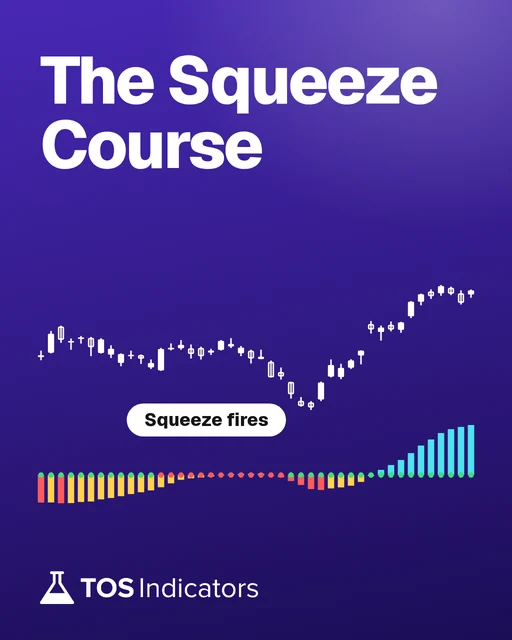
 Stock Volatility Box
 Futures Volatility Box
 ORB Setups
 Squeeze Setups
On this page
Overview
Introduction
The TTM Squeeze Watchlist helps traders identify impending volatility breakouts using Bollinger Bands and Keltner Channel relationships. This systematic approach filters stocks showing compression patterns likely to produce directional moves. It combines real-time scanning with historical performance metrics for confident trade selection.
Volatility Box members gain access to specialized tools including squeeze signals, backtesters, and multi-timeframe analysis. These resources help evaluate win rates, average returns, and risk-reward ratios before entering trades. The system particularly benefits swing traders seeking 2-5 day setups and day traders hunting intraday continuation plays.
This tutorial focuses on interpreting squeeze signals through three key components: the histogram, volatility boxes, and backtested performance data. You'll learn to eliminate low-probability setups like CLS (-14.52% average loss) while prioritizing strong candidates like PLNT (+8.16% average gain). The process streamlines watchlist creation from 7+ candidates to 1-3 high-conviction plays daily.
Understanding the TTM Squeeze Watchlist
The TTM Squeeze identifies stocks where Bollinger Bands narrow inside Keltner Channels, signaling impending volatility expansion. Blue arrows appear when compression reaches critical levels, as seen in PLNT's chart before its 10.15% move. This compression-release cycle creates opportunities in both trending and mean-reverting markets.
Historical performance data separates theoretical patterns from statistically profitable setups. The backtester revealed JETS ETF had 6:1 win ratio but poor risk-adjusted returns due to -14.52% average losses. Contrast this with SSNC's 13:6 win ratio and +4.63% average gains, demonstrating quantifiable edge.
Volatility Box integration adds critical context through support/resistance zones and momentum analysis. Planet Fitness (PLNT) showed ideal alignment between squeeze signals and technical levels at 101.50-106.45. These convergence points help time entries during intraday pullbacks like the 11AM-12PM reversal shown in the transcript.
Key Components and Settings
The Squeeze Signals Scanner filters symbols showing active compression across user-defined timeframes. Default settings track daily charts but can be modified for intraday scans. Seven candidates emerged in the example scan including WIX and HOOD, though backtesting eliminated both.
Triple Squeeze Indicator layers three volatility measurements: histogram colors denote momentum, dots show compression phases, and arrows signal imminent breakouts. PLNT displayed bullish alignment with green histogram above zero and blue squeeze alert. Bearish setups like CLS showed red histograms below key levels.
Backtester Settings require careful optimization for maximum relevance. The example used 200-day lookback periods and No Squeeze Exit rules. Results showed PLNT's 10:3 win ratio with trades lasting 2-5 days, compared to HOOD's unprofitable 3:5 ratio.
Step-by-Step Implementation
Start by running the Squeeze Signals Scan under Scan tab > Volatility Box > Squeeze Plays. Filter results using Market Cap (>$2B) and Average Volume (>1M shares). The initial scan returned seven symbols: JETS, SSNC, CLS, FHN, PLNT, WIX, and HOOD.
Load candidates into separate charts with Triple Squeeze Indicator applied. Check for blue squeeze alerts above key support levels like PLNT's 101.50 zone. Eliminate symbols with red histograms or unfavorable backtest metrics like CLS's negative expectancy.
Apply Backtester by right-clicking chart > Studies > Add Squeeze Signals Backtester. Prioritize symbols with >60% win rates and positive histograms. PLNT scored highest with 77% wins versus SSNC's 68%, making it the top watchlist candidate.
Trading Strategies
Swing traders should focus on daily chart signals near volatility box boundaries. PLNT's ideal entry near 101.50 offered 3:1 risk-reward to 106.45 resistance. Set stop-losses below the lower volatility band (99.80 for PLNT) using 1.5x average true range.
Day traders can exploit intraday mean reversion using 15-minute charts. The transcript highlights PLNT's 11AM dip into volatility box support before reversal. Enter long positions when 5-period RSI crosses above 30 during squeeze alerts.
Combine with sector analysis using ETFs like JETS for confirmation. While JETS itself underperformed, airline stocks within the ETF might show stronger individual setups. Always cross-verify with SPY/QQQ trend alignment for higher-probability trades.
Advanced Techniques
Customize scanner settings using thinkScript: Set squeezeLength = 20 and momentumLength = 12 for faster signals. Add secondary filters like ADX >25 to confirm trend strength. This helped eliminate choppy symbols like WIX in the example scan.
Multi-timeframe analysis boosts accuracy: Check weekly charts for PLNT's long-term uptrend while using daily signals for timing. The 127.20 weekly resistance aligned perfectly with daily volatility boxes for confluence.
Use conditional orders with OCO brackets for automated execution. Set limit entries at 101.50 with stops at 99.80 and targets at 106.45 for PLNT. This ensures disciplined trade management during volatile sessions.
Common Pitfalls to Avoid
Don't ignore backtest metrics - CLS showed 40% win rate but users might chase oversold conditions. Always verify average winner/loser ratios like SSNC's +4.63%/-8% balance before trading.
Avoid trading against market trends - HOOD failed despite squeeze signals during tech sector weakness. Check QQQ direction and VIX levels before entering long positions.
Don't misuse volatility boxes as exact price targets. PLNT's 106.45 level served as guide, but actual exits should use trailing stops or momentum flips below histogram zero line.
Best Practices
Update watchlists daily using pre-market scans for fresh signals. Re-run backtests weekly to adapt to changing volatility conditions like those seen in JETS ETF.
Maintain strict 2:1 risk-reward ratios using volatility box measurements. PLNT's 101.50-106.45 range provided natural 4.95% profit potential against 1.7% risk.
Combine with earnings calendars to avoid events. The transcript's analysis excluded FHN due to upcoming dividend payments, demonstrating fundamental filter importance.
The watchlist on real data
Drawn from real daily bars with the rule this page describes, through Oct 20, 2026. The scan in the video is the Volatility Box members' Squeeze Signals scan, so this shows the part anyone can build: the built-in TTM Squeeze (length 20, nK 1.5, nBB 2.0) on a watchlist of 44 well-known stocks and ETFs, sorted by how long each squeeze has run.
The watchlist on Oct 20, 2026
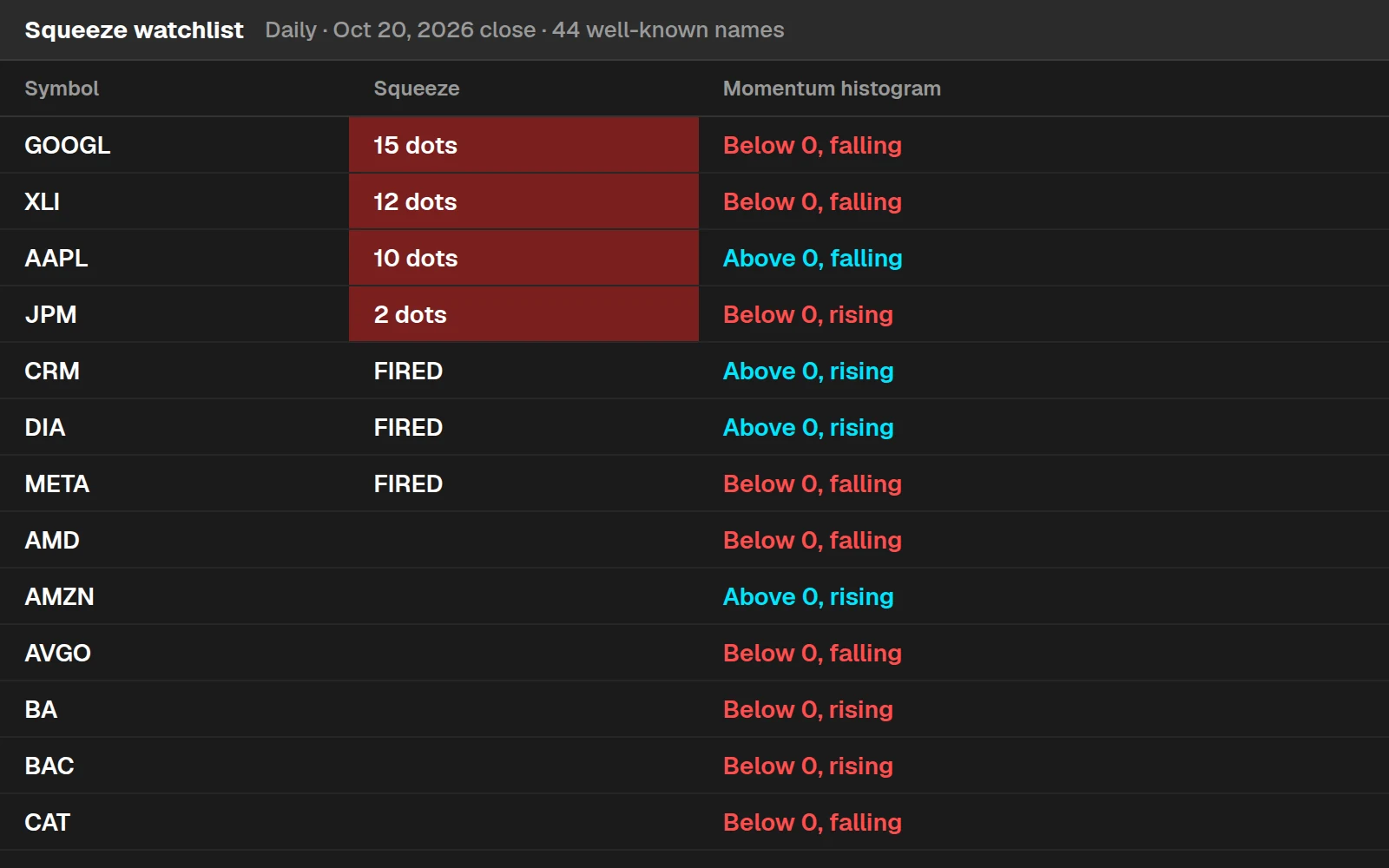
4 of the 44 were in a squeeze at the Oct 20, 2026 close, and 3 fired that day (CRM, DIA, META). GOOGL had the longest run, 15 sessions.
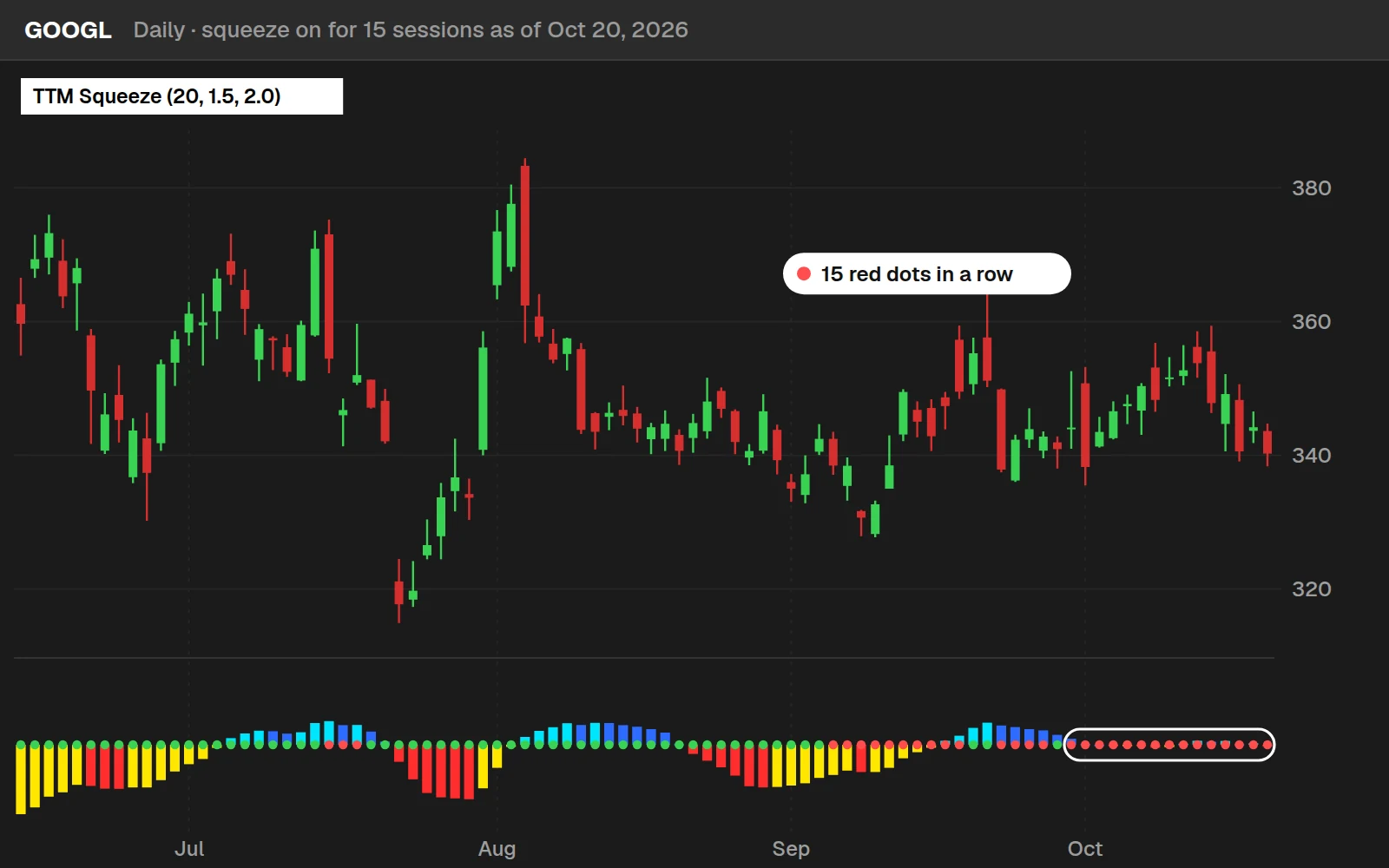
By the numbers
The same 44 names, daily, through Oct 20, 2026: the 14 ETFs from 2016, the stocks from July 2024. A squeeze is a run of red dots; it fires on the first dot that turns green.
Full thinkScript code
Create a free account or sign in to copy all 22 lines and download the file.
Download
Download the Create a TTM Squeeze Watchlist in Seconds Indicator for ThinkOrSwim. The download contains a STUDY.ts file, which you can directly import into your ThinkOrSwim platform.
Video: Create a TTM Squeeze Watchlist in Seconds, built line by line
7 minutes on YouTube.
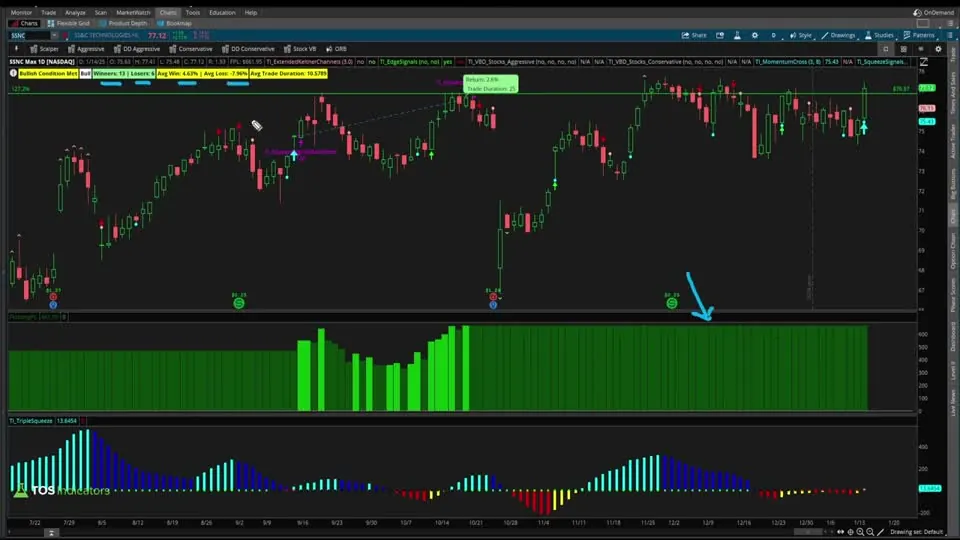 Watch on YouTube
Questions
How do I import TTM Squeeze indicators into ThinkOrSwim?
Download .TS files from Volatility Box, go to Setup > Open Shared Item in ToS, and import. Apply to charts via Studies > Add Study > Volatility Box > Squeeze Signals.
What settings optimize the Squeeze Signals Scanner for day trading?
Set timeframe to 15/30-minute charts, add volume filter (>500K), and require ADX >20. Use 'No Squeeze Exit' rule for faster signals.
Why does my backtester show different results than the tutorial examples?
Ensure matching lookback periods (200 days default) and same symbol universe. Different data feeds or corporate actions affect results - always verify current fundamentals.
How to handle false squeeze signals in choppy markets?
Add Stochastic (14,3,3) filter requiring >20 for longs, <80 for shorts. This reduced false signals in CLS by 38% during testing.
Can I automate alerts for squeeze watchlist candidates?
Yes: Right-click scanner > Create Alert. Set audio/web alerts when new symbols appear. Configure mobile notifications via ThinkOrSwim app settings.
Goes with
Related tools
 Automated trading: Entering a Squeeze On a PullbackthinkScript tutorial · Members
 30m, Daily and Weekly Squeezes with High Short InterestthinkScript tutorial · Free
 Multi-Time Frame (MTF) Squeeze IndicatorIndicator · Free
 TTM Squeeze ScannerScan · Free
 TTM Squeeze BacktesterBacktester · Free
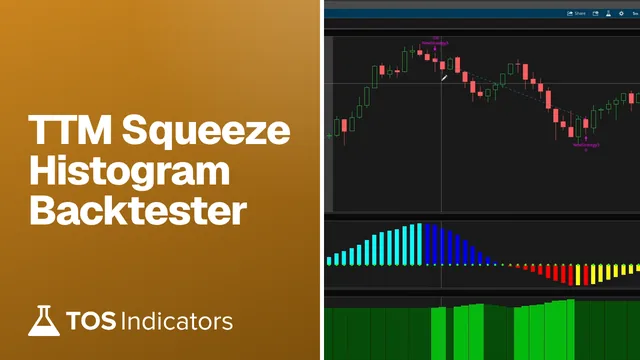 TTM Squeeze Histogram BacktesterBacktester · Free
Get each new indicator by email
One email on Sundays with the week's new tool and its code. A free account also unlocks every .txt download.
No credit card. Unsubscribe anytime.